Aura Workflow & Approvals for Confluence
Add approval workflows and publishing automation to Confluence
Aura Workflow brings multi-tier document approvals, content review processes, and automated publishing to Confluence Cloud. Create workflows with unlimited approval stages, track document status, and publish approved content automatically.
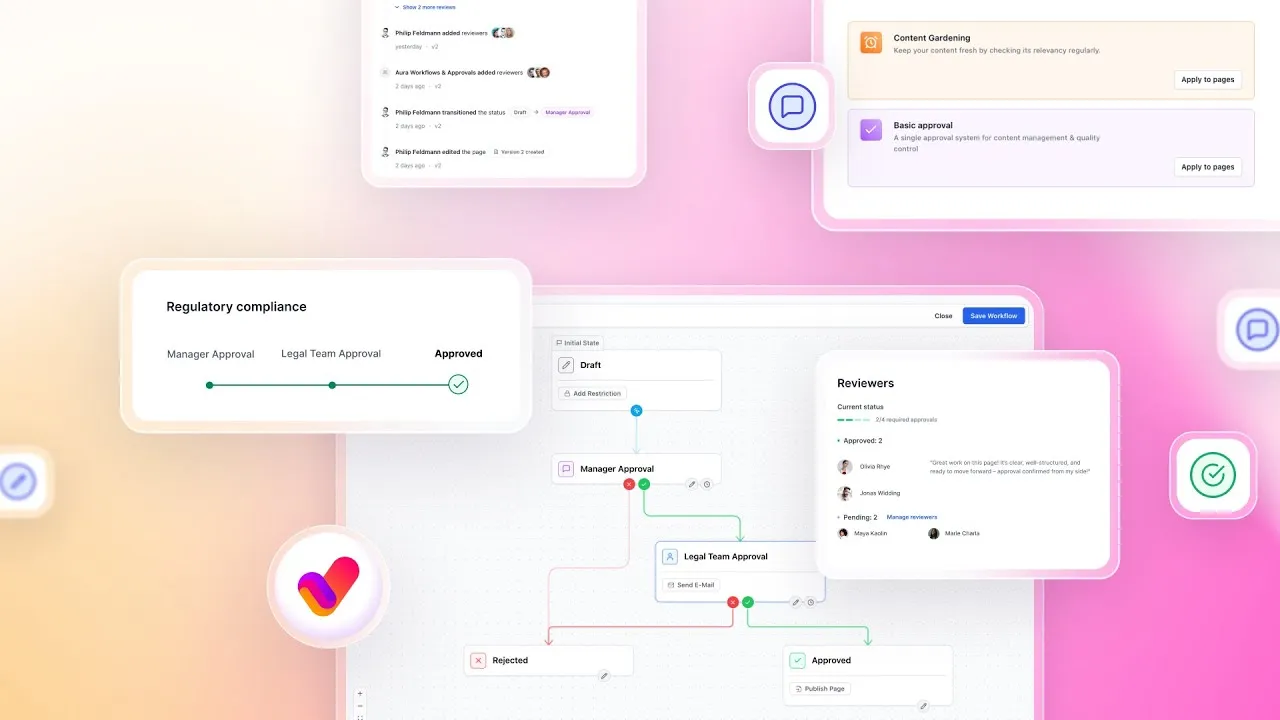
Why teams choose Aura Workflow for Confluence
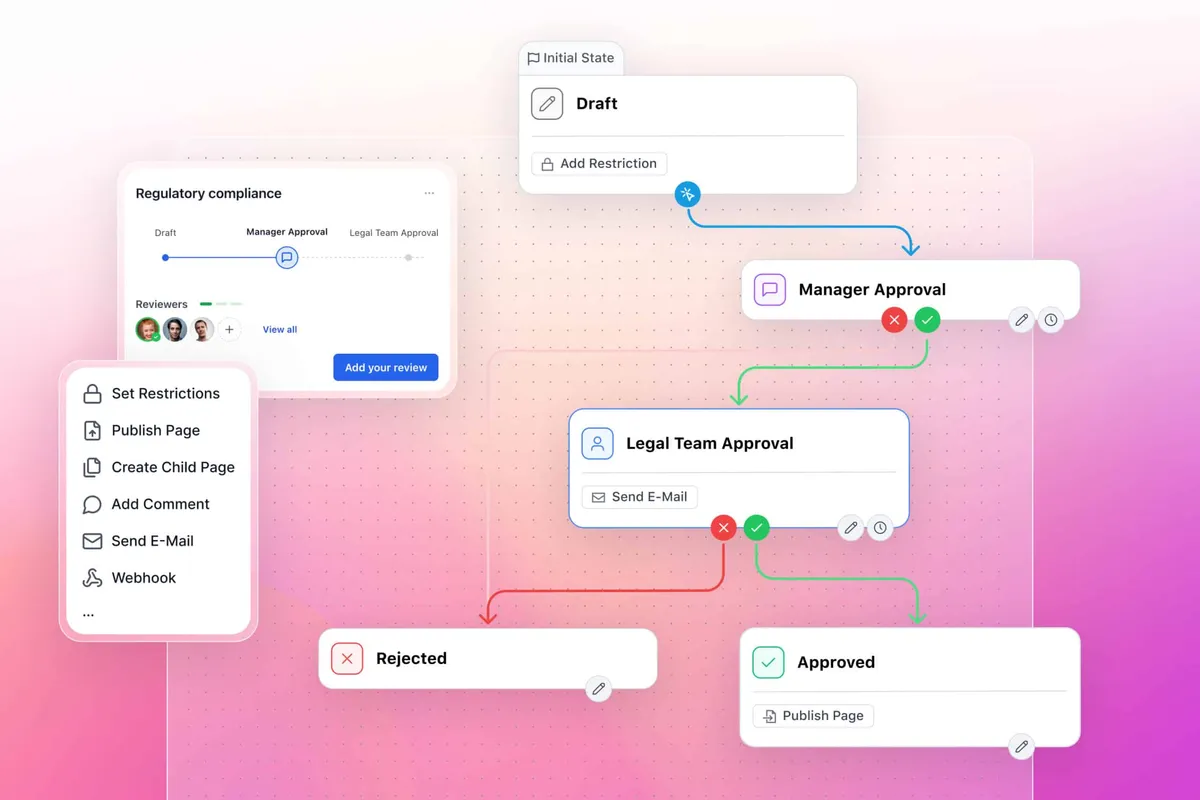
Multi-stage approvals for any review process
Build workflows with unlimited approval rounds. Technical review, legal sign-off, management approval. Each stage supports multiple approvers working in parallel or sequence. Perfect for multi-tier document workflows.
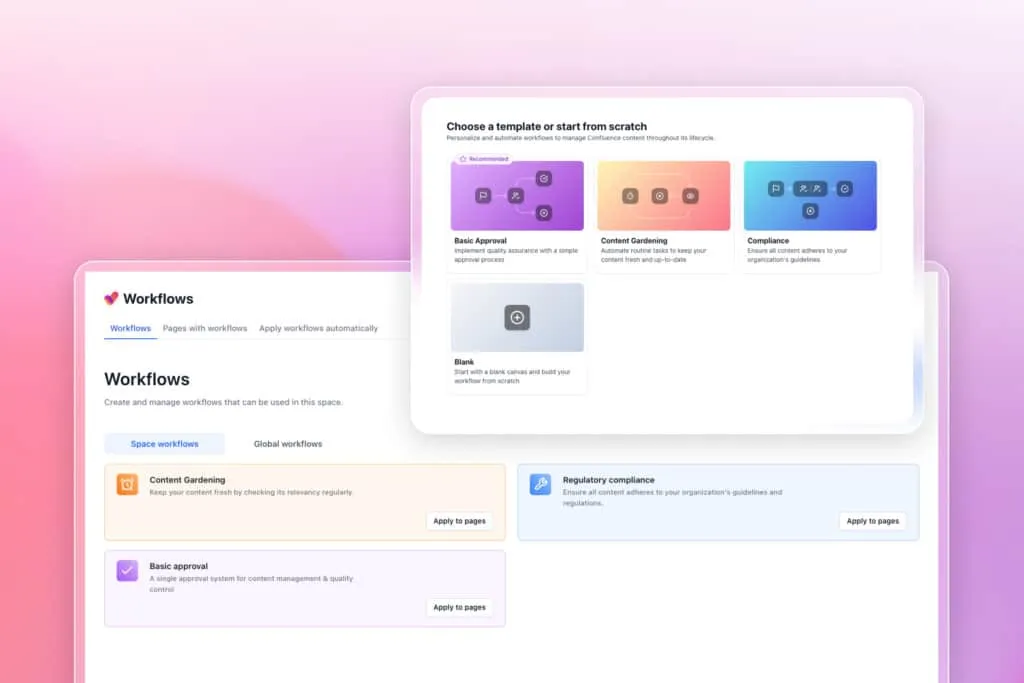
Visual workflow designer without coding
Drag and drop approval stages, connect them with transitions, and see your entire workflow at a glance. Simpler than Comala’s markup language, more powerful than basic status labels.
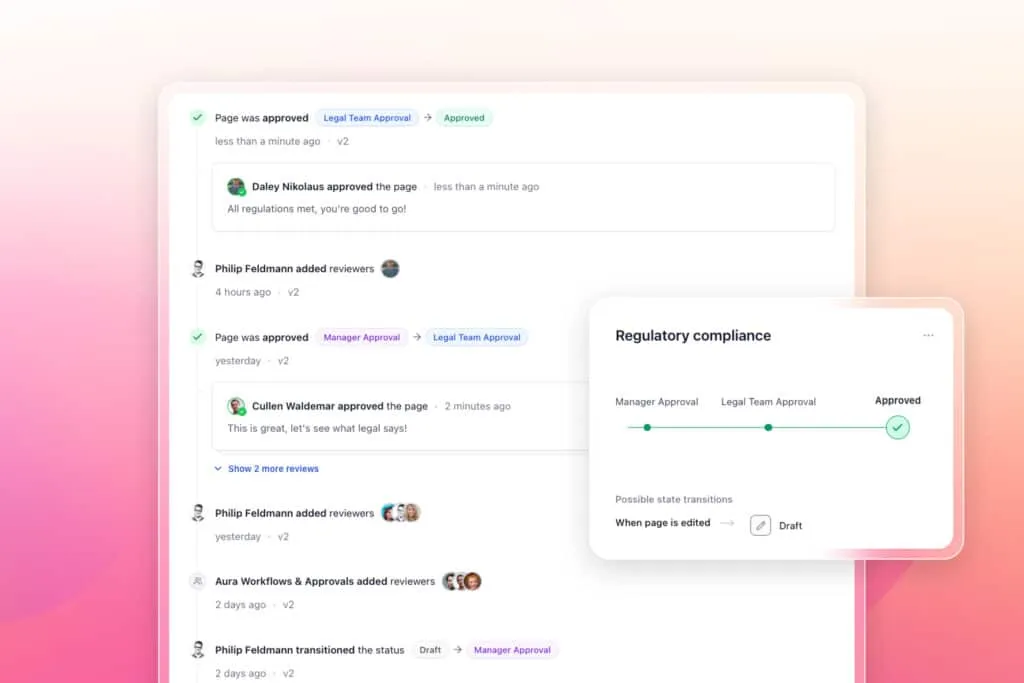
Automated publishing to separate spaces
Keep draft content separate from published versions. Once approved, content automatically publishes to production spaces, removes draft restrictions, or syncs to external sites.
Compliance tracking with full audit trails
Every workflow action is logged with timestamp, user, and comments. Version history tracks all changes. Meet ISO 27001, ISO 9001, HIPAA, MDR, and NIST requirements with documented approval chains.
Works with Confluence Standard and existing content
Explore, learn, connect
Marketplace
Quality Control, Document Lifecycle Management, Reviews for Teams, Automations, Content Status, Policy, Governance, Compliance ISOProduct advice
Need help deciding which app solution would be perfect for your team? Want to clarify and compare app features with a real person?
How to create an approval workflow in Confluence
Install the approval workflow app
Install the approval workflow app
Add Aura Workflows from the Atlassian Marketplace in 60 seconds
Create your workflow
Create your workflow
Build approval stages with drag-and-drop workflow designer
Assign approvers
Assign approvers
Add users or groups to each approval stage
Apply to pages
Apply to pages
Attach workflows to new or existing Confluence pages
Track and automate
Track and automate
Monitor approval status and publish approved content automatically
Why teams switch from Comala to
Aura Workflow
| Feature | Comala Document Management | AppFox Workflows | Aura Workflow |
|---|---|---|---|
| Setup complexity | Complex markup language | Moderate | Visual drag-and-drop |
| Multi-tier approvals | Yes, with scripting | Yes | Yes, unlimited tiers |
| Draft/publish separation | Requires add-on | Built-in | Built-in with auto-sync |
| Works on Standard plan | Yes | Yes | Yes |
| Mobile approvals | Limited | Basic | Full mobile interface |
| Bulk operations | Basic | Limited | Advanced bulk actions |
| Price | $$ | $$ | $ |
| Support response | 24-48 hours | 24 hours | 2-hour average |
Efficient Confluence approval workflows for different team needs
Technical Documentation
Engineering docs flow through peer review, security assessment, and release management approval. Integration with development tools means documentation stays synchronized with code releases.
HR & Policy Management
Route policy updates through legal review, union consultation, and executive approval before auto-publishing to employee spaces. Set expiration dates that trigger re-approval cycles so policies stay current.
Quality & Compliance Teams
Build ISO-compliant document workflows with technical review → QA verification → management approval → automated distribution. Version control and audit trails maintain your certification requirements without manual tracking.
Contract Management
Multi-tier approval for contracts based on value thresholds. Legal review, finance approval, and executive sign-off with complete audit trails for every decision and comment.
Marketing & Content Teams
Manage campaign materials with brand review, legal check, and stakeholder approval stages. Approved content publishes to designated spaces while maintaining version history for compliance.
Confluence workflow automations that eliminate manual tasks
When pages hit certain workflow states, Aura triggers actions automatically without you lifting a finger. Here’s what happens behind the scenes:
| Workflow Event | Automated Action |
|---|---|
| Page submitted for review | Email sent to approvers with direct link |
| Content approved | Publishes to production space, removes restrictions |
| Page rejected | Creates Jira issue, notifies author with feedback |
| Approval pending 48 hours | Sends reminder to approvers |
| Document expires | Triggers re-approval workflow |
| Final approval received | Archives previous version, updates knowledge base |
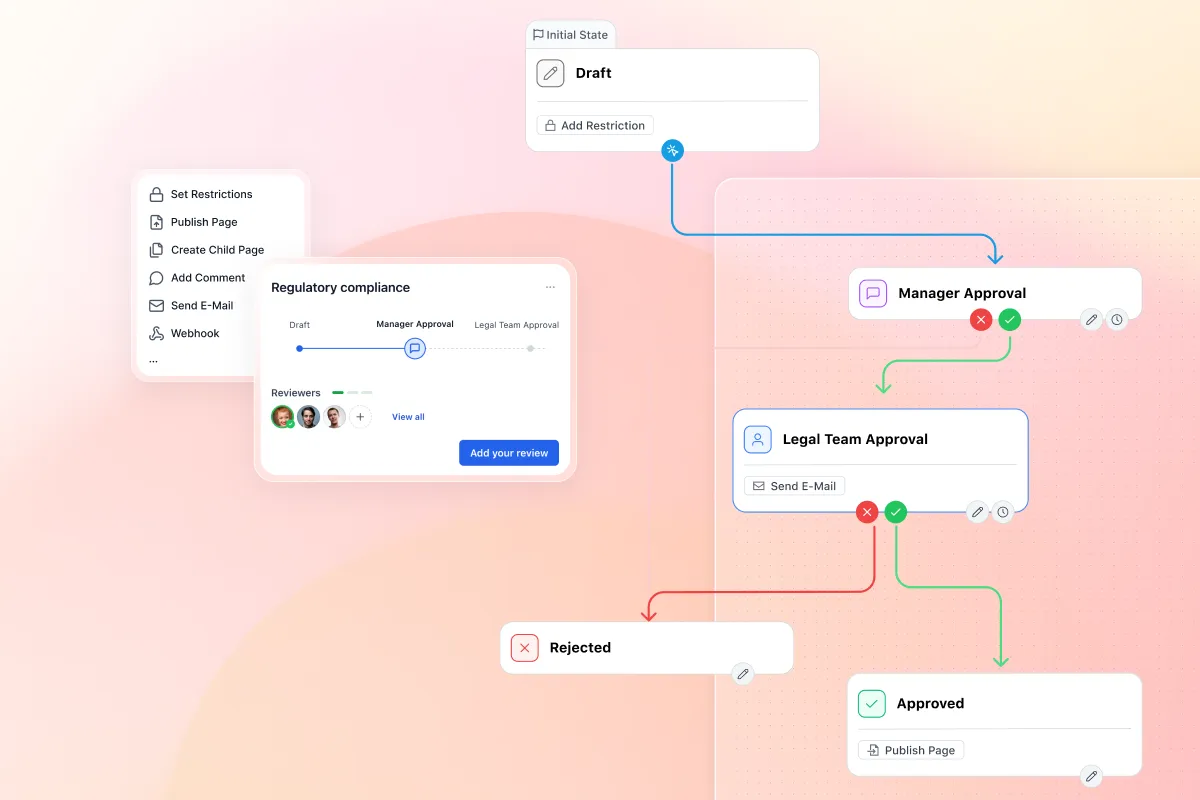
Set up automated page publishing workflows in Confluence Cloud
Most teams struggle with the working version versus published version problem in Confluence. You edit in one place but need approved content to appear somewhere else entirely.
Aura Workflows solves this with a streamlined two-space publishing method: content creators work in draft spaces with full editing permissions while approved pages automatically sync to production spaces, where restricted permissions keep them read-only for most users.
Version control maintains the relationship between draft and published, so changes to published content only happen through the approval workflow.
Manage content approval in Confluence efficiently
Stuff you probably want to know
How do I create a multi-tier approval workflow in Confluence?
How do I create a multi-tier approval workflow in Confluence?
How do I keep draft and published content separate in Confluence?
How do I keep draft and published content separate in Confluence?
Is Aura Workflow simpler than Comala Document Management?
Is Aura Workflow simpler than Comala Document Management?
What happens to rejected pages in the approval workflow?
What happens to rejected pages in the approval workflow?
Can I add approval workflows to existing Confluence pages?
Can I add approval workflows to existing Confluence pages?

Tim Böhmer, Sales Lead
Bring structure to your Confluence content lifecycle
Documentation needs review before publication. Aura Workflow provides the approval process, automation, and compliance tracking to manage content properly from draft to archive.
Stay up-to-date with The Atlassian Detective
In our monthly newsletter, we solve mysteries related to the Atlassian toolset and developments in the ecosystem.