Summary
- A blameless postmortem digs into why incidents occur, focusing on the systems and processes underpinning people’s actions, instead of assigning blame.
- Templates encourage a blameless approach to incident postmortems by making the capture of information consistent and focused on objective facts.
- Automation helps with blamelessness by making the postmortem process predictable and by preserving evidence without memory bias.
- Jira and Confluence offer templates and automation capabilities to support blameless postmortems, however, none are without friction.
- A different option available to Atlassian users is the AutoPage app. This lets you auto-generate a Confluence postmortem based on a custom template that’s synced with your Jira, making it easier to cultivate a blameless postmortem culture.
Shifting the conversation
When something goes wrong, there’s a natural human tendency to point the finger at someone.
If only life were that simple.
In engineering and IT, most incidents are the result of multiple contributing factors: ineffective processes, gaps in training, unclear documentation… It’s never usually one person’s mistake.
Enter the blameless postmortem. Blameless incident postmortems look objectively at why mistakes are made. They shift the conversation from individuals to systems to identify areas where those systems can be improved.
For teams working in Jira and Confluence, the tools themselves can help make your postmortems blameless, turning every incident into a learning exercise that strengthens the system.
Templates and automation are two of the ways your tools can help. In this article, we’ll explore how they facilitate blamelessness in the incident postmortem process. We’ll also explore the postmortem templates and automation that are available to Atlassian users.
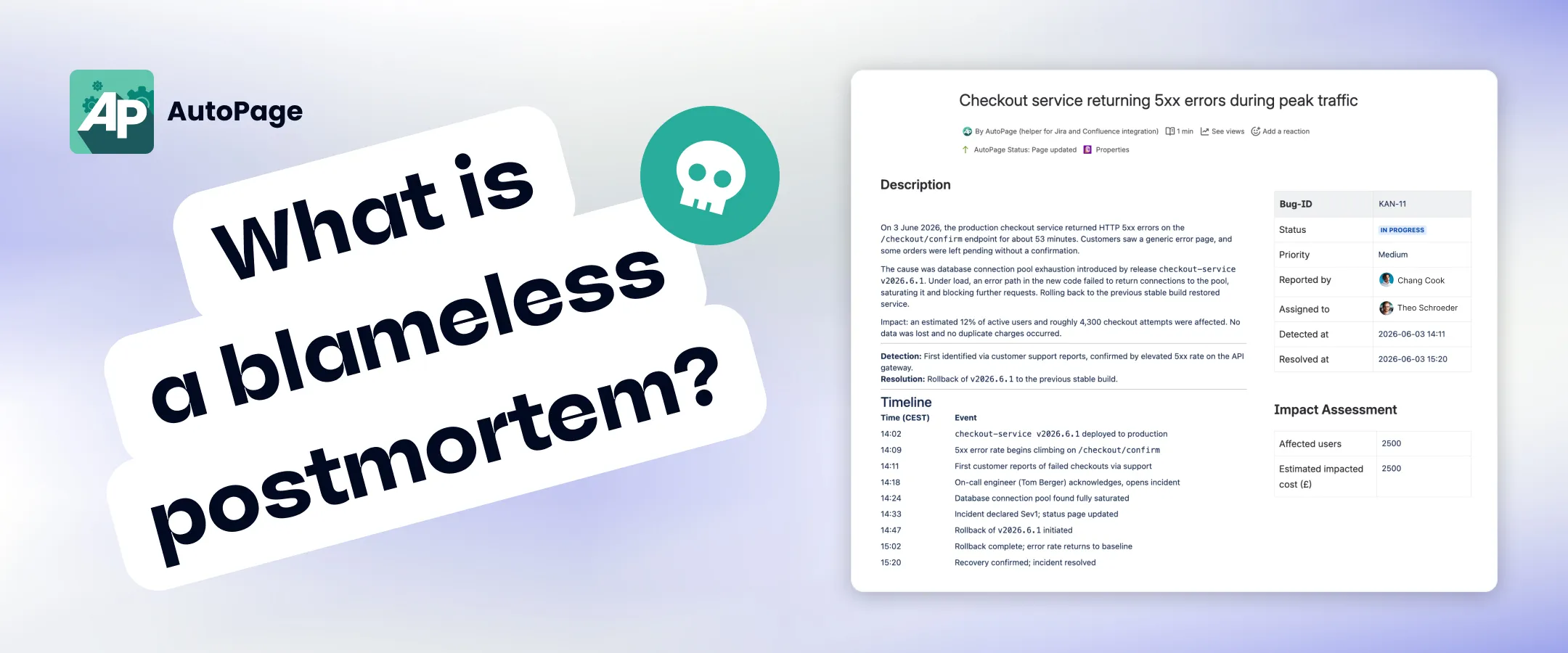
What is a blameless postmortem?
A blameless incident postmortem is an approach to investigating IT incidents without assigning individual fault or shaming anyone.
A blameless postmortem assumes that every team and employee acted with the best intentions based on the information they had at the time. It removes the fear of looking stupid or getting in trouble in order to encourage honest, open communication. It also stops people from hiding things for fear of punishment, which would lead to greater risk for the organization.
The approach emerged from the healthcare and aviation industries where mistakes can be fatal. These industries have fostered an environment where every mistake is seen as an opportunity to improve the system.
This doesn’t mean blameless postmortems never identify when an employee has made a mistake. Or that the goal is to make those responsible for an incident feel better. It just means that, instead of pointing fingers, you’re looking at the objective reasons why a mistake was made. Maybe the documentation was confusing. Perhaps the training isn’t working. The true root cause of an incident is rarely a single person’s actions, but a combination of conditions that made those actions possible or likely.
These are the reasons why blameless postmortems are generally considered the most effective way to prevent repeat incidents and improve future responses.
How do templates help with blameless postmortems?
Incident postmortem templates are one of the easiest ways of encouraging a blameless culture.
If there’s no template, then you’re starting with a blank page. This makes it more likely that each postmortem will take a different approach and be shaped by subjective opinions and hindsight, rather than objective facts.
A consistent structure ensures that every review captures the same information, such as an incident summary, timeline of events, and a list of contributing factors. It helps ensure that the investigation into what happened and why is thorough, objective, and productive. Templates also make it easier to compare incidents over time.
How does automation help with blameless postmortems?
Automating the creation of a postmortem document helps normalize the process. Everyone knows that as soon as the incident is resolved, a postmortem document gets triggered automatically. Teams are less likely to associate postmortems with blame if the review is a standard and expected practice focused on learning, not something initiated selectively after “bad” incidents or perceived mistakes.
Automation also helps preserve evidence. Manually compiling incident details, timelines, and business impact can leave them vulnerable to hindsight bias. But automating the capture of facts allows you to document what happened, when it happened, and what responders knew at the time without any reliance on subjective memory. This shifts the focus away from individuals and onto objective operational data.
Built-in templates and automation in Jira and Confluence
Confluence offers two page templates for incident postmortems. The first is the ITSM post-incident review template and the second is the incident postmortem template. Both cover much of the same ground: incident details, leadup, timeline, root causes, and follow-up tasks. Alternatively you can create your own.
The problem is that, out of the box, you can’t automatically prepopulate these templates with Jira data. You have to manually copy details from Jira into your Confluence page.
On Jira Service Management (JSM) premium and enterprise plans, you have another option: creating a JSM post-incident review (PIR). The PIR is a work item type which allows you to write your postmortem in the ticket itself, using the template in the description field. You can then export the ticket to Confluence, which automatically pulls all the data and analysis from the PIR ticket onto the Confluence page.
The problem with the PIR ticket option is that the postmortem happens in the ticket, even though Jira isn’t practical or optimized for writing long-form documentation.
If you want to auto-generate a postmortem document in Confluence from a custom template, then the best approach natively is to use Jira automation. You can build a rule that automatically creates a page, pulls Jira data into it using smart values, and uses a template that you build in a page content window inside the rule (you can’t use Confluence page templates).
The problem is that the page content window doesn’t offer the full functionality of the Confluence page editor, so it’s difficult to get the page looking exactly as you want it to. You also need a good understanding of automation rules and smart values, which a lot of users don’t.
A better way to automate your incident postmortems
To create an incident postmortem process that’s consistent, evidence-based, and blameless, you should be able to:
- Use a normal Confluence page as your postmortem template
- Automatically generate a Confluence postmortem as soon as an incident is resolved
- Prepopulate your Confluence template with Jira data from your incident ticket
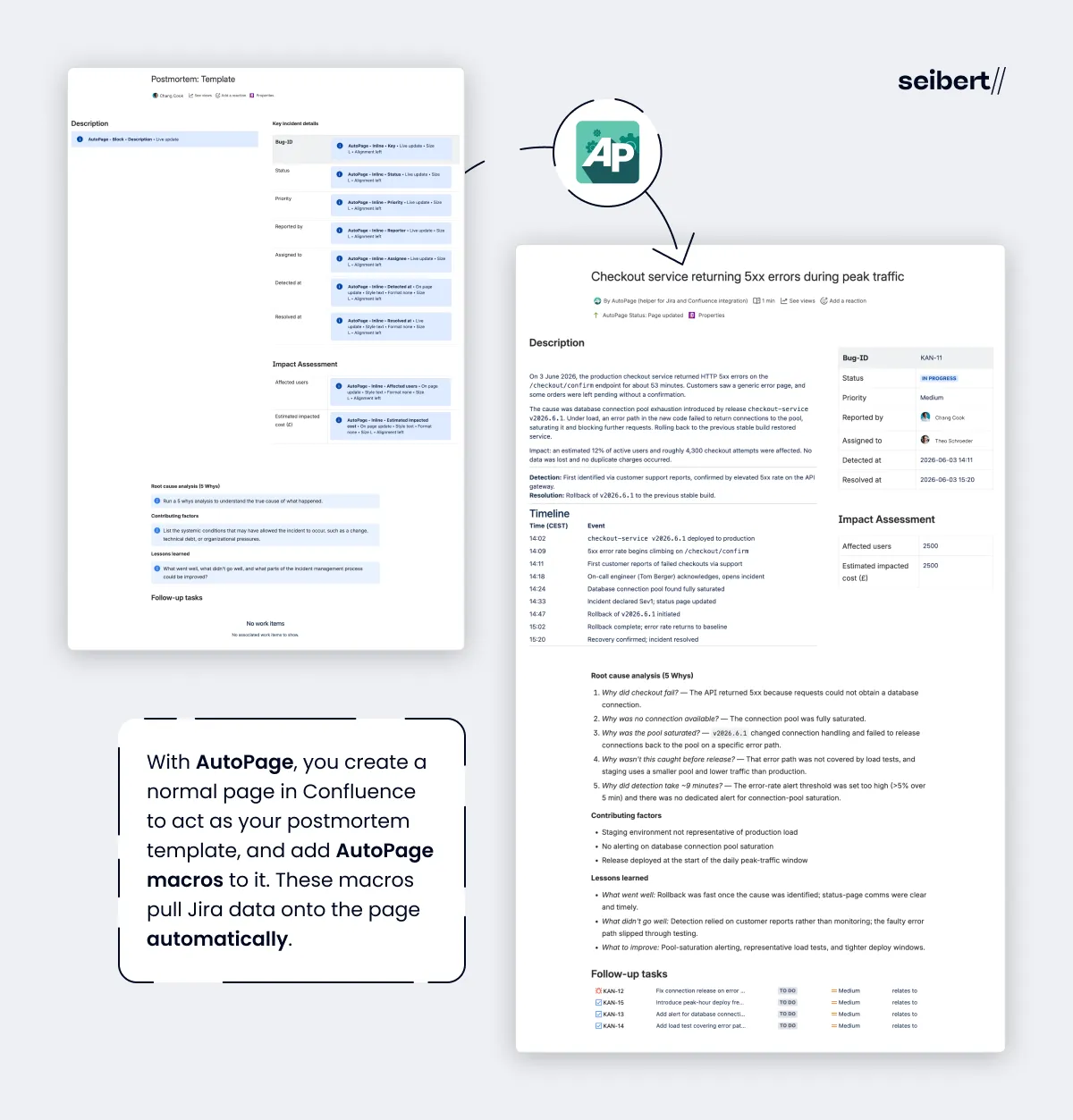
AutoPage for Jira and Confluence can achieve this, by automating the creation of custom postmortem pages in Confluence with prepopulated Jira data.
With AutoPage, you create a normal page in Confluence to act as your postmortem template, and add AutoPage macros to it. These macros pull Jira data onto the page automatically.
So you can prepopulate your template with details like the incident summary, description, reporter, assignee, priority, resolution date, fix version, and a list of linked follow-up tasks.
Then you configure AutoPage to automatically generate your prepopulated page in a designated Confluence space using a system trigger, e.g. the resolution of an incident.
AutoPage is a more flexible way of automating postmortems than Jira automation because it offers easy template control and customization. It also offers a live sync between your incident ticket and your Confluence page, so that any changes in Jira are instantly reflected in your postmortem.
Making blameless postmortems the standard
The value of incident postmortem templates and automation isn’t just in creating documents faster. It’s in making the review process predictable, repeatable, and objective. By standardizing how incident information is captured and reviewed, teams dig deeper into the causes without jumping to conclusions about those involved.
While Jira and Confluence offer native templates and automation capabilities to support this approach, friction still remains. AutoPage removes this friction, making it easier to institute a fully blameless postmortem process and a constructive culture focused on learning and improvement.
Want to try AutoPage free for 30 days?