Jigo - Google Workspace for Jira
Integrate Gmail, Calendar, Google Chat into Jira
Integrate Jira Software with Google Workspace tools like Gmail, Google Chat, and Google Calendar with Jigo and enhance your productivity. Jigo lets you manage emails, initiate chats, and schedule events directly from your Jira work items for less searching & context switching. Quickly create and update Jira work items with minimal effort from your emails.

Here's what Jigo can do
Communicate and coordinate your work in a snap from both Jira and Google Workspace apps like Gmail, Google Chat, or Calendar
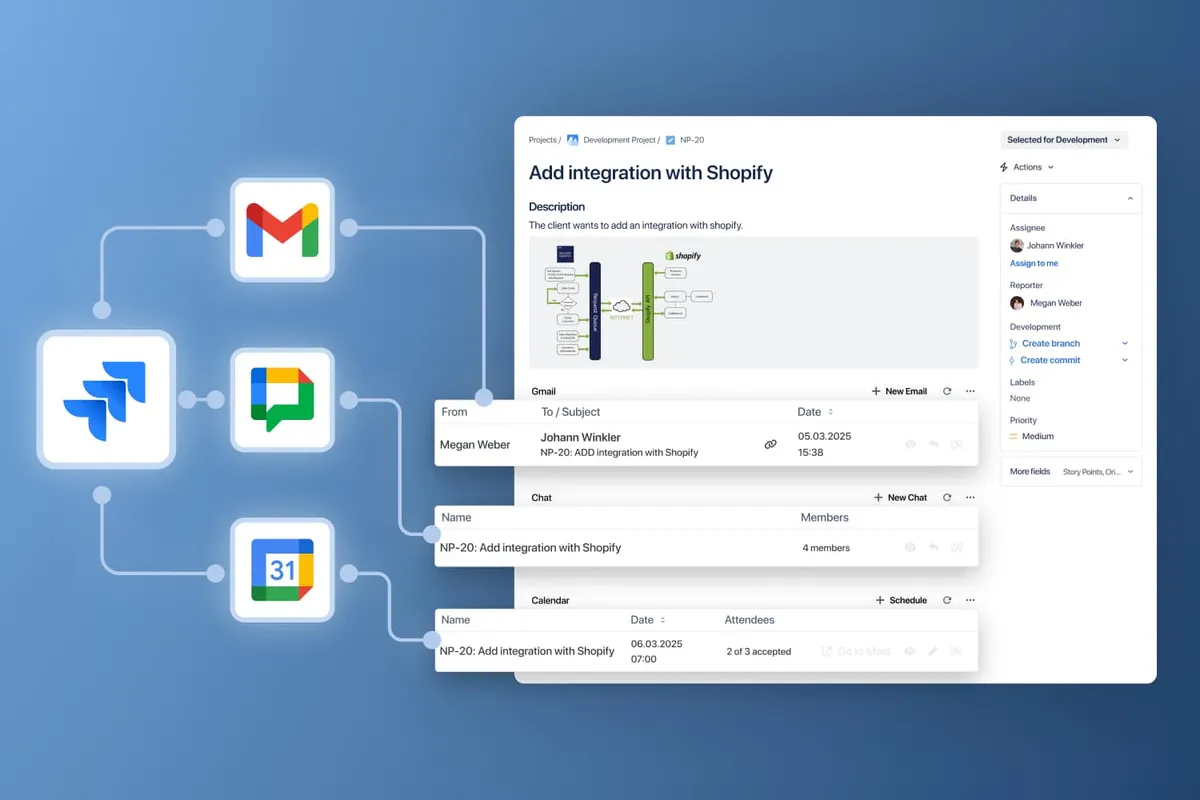
Integrate Gmail, Calendar, Google Chat into Jira
Enhance your productivity by seamlessly connecting Google Workspace collaboration tools. Manage Gmail, initiate Google Chats, and schedule Google Calendar events directly from your Jira work items.
Use Jigo for client communication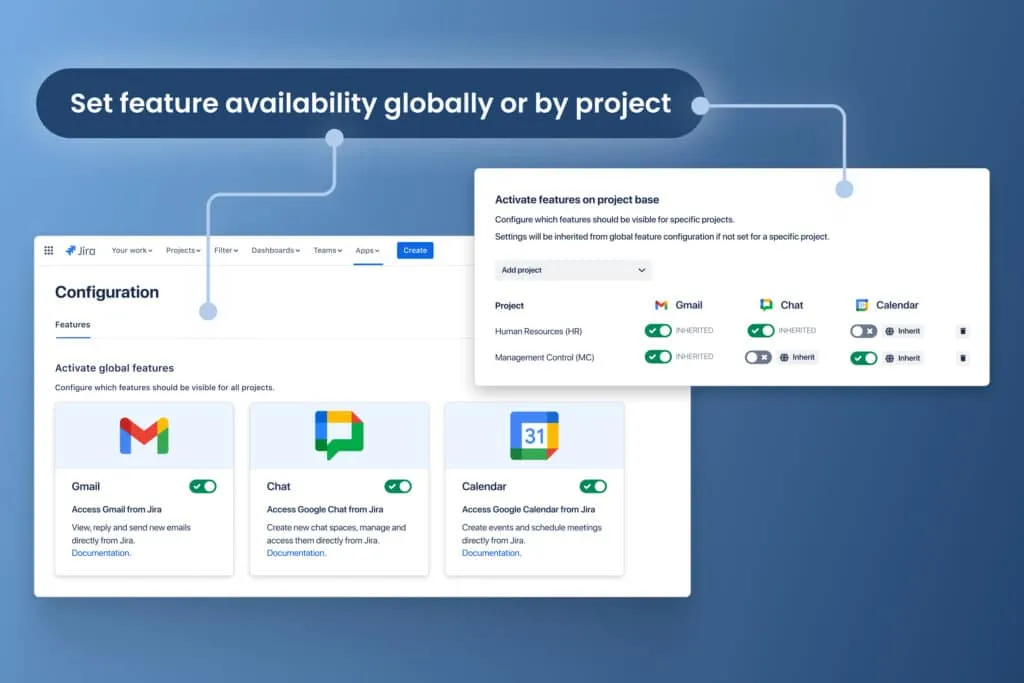
Set feature availability globally or by Jira project
Jigo’s flexible configuration lets you customize and toggle Google Workspace app availability globally or on a project by project base. – no unnecessary visual clutter for your users.
Discover how to configure features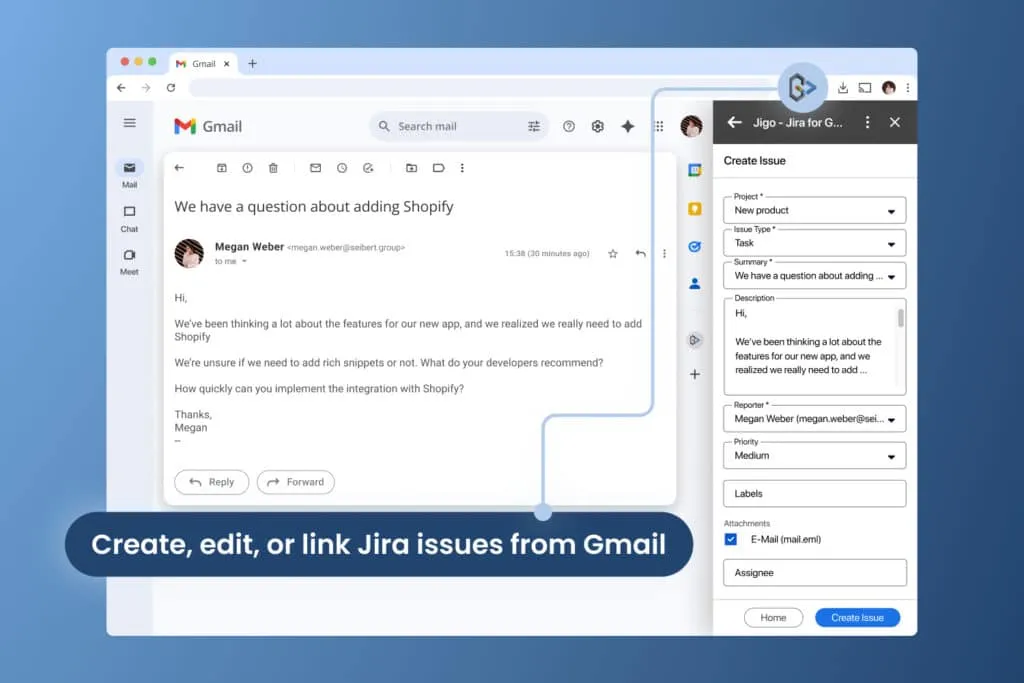
Create and manage Jira work items directly from your Gmail inbox
Jigo’s free Google Workspace Add-On and Chrome Browser Extension let you create, edit, or link Jira work items directly from your Gmail inbox.
Install Chrome Browser ExtensionExplore, learn, connect
Marketplace
Gmail, Google Calendar, Google Chat integration for Jira Software: seamless work between Jira and Google WorkspaceProduct advice
Need help deciding which app solution would be perfect for your team? Want to clarify and compare app features with a real person?
Use cases
Stuff you probably want to know
How do I link an email to Jira?
How do I link an email to Jira?
How do I integrate Jira and Google Chat?
How do I integrate Jira and Google Chat?
Can I link an existing Calendar event to a Jira issue?
Can I link an existing Calendar event to a Jira issue?
How much does Jigo cost?
How much does Jigo cost?

Jana Winkelbauer, CTO at Lovebyte.codes
Let’s get this show on the road
Start working with Jigo today. Or book a personal demo and we’ll walk you through all the awesome things you can do with it.
Stay up-to-date with The Atlassian Detective
In our monthly newsletter, we solve mysteries related to the Atlassian toolset and developments in the ecosystem.