Navigation Menus for Confluence
Saving you from getting lost in the murky depths of Confluence
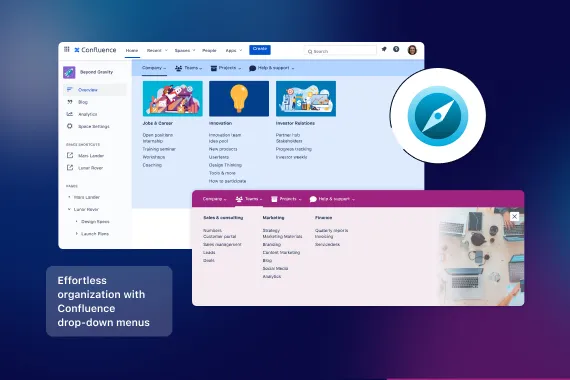
Make your most important content and tools available from anywhere in Confluence with custom drop down navigation menus. Create multiple menus to provide users with the right content, in the right place.
Trusted by teams worldwide




Here's what Navigation Menus can do
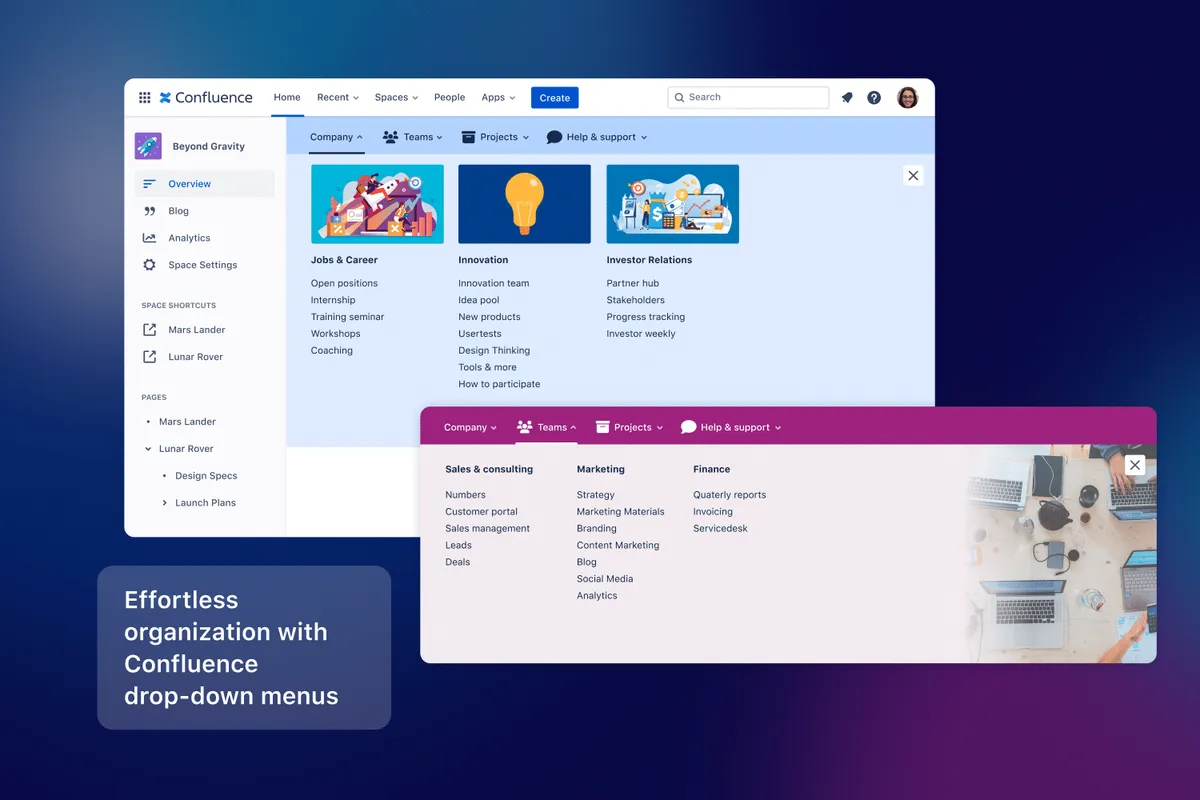
Organize spaces and pages with menus
Provide Confluence users an easy way to find the spaces and content they need with user-friendly drop down menus. Group and nest spaces and add links to key resources or tools, even outside Confluence, so information is at your fingertips.
Set-up custom navigation menus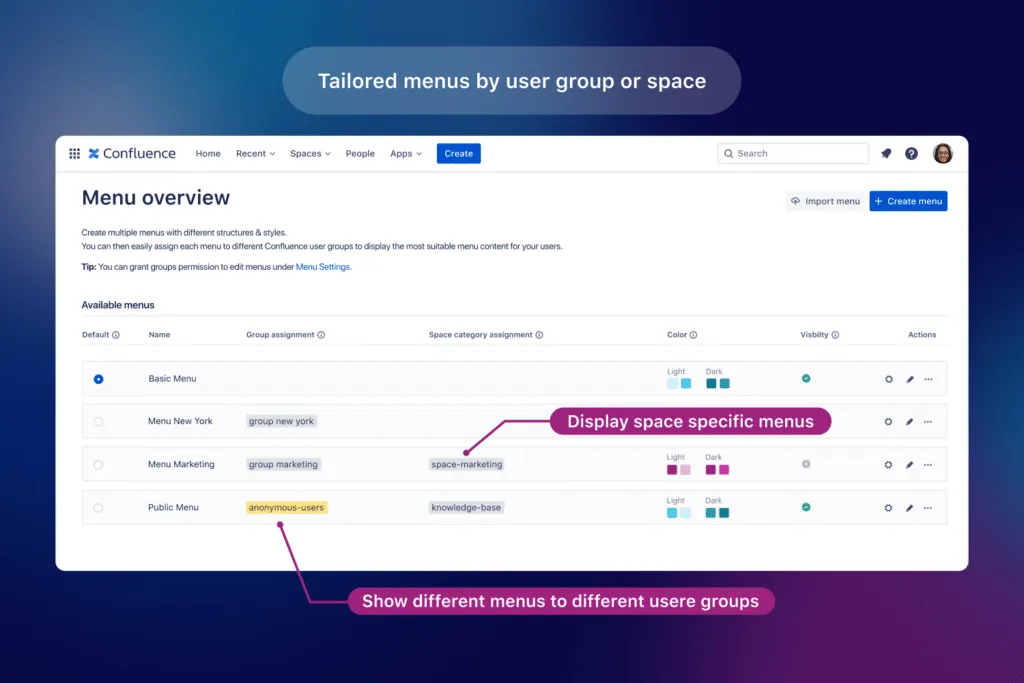
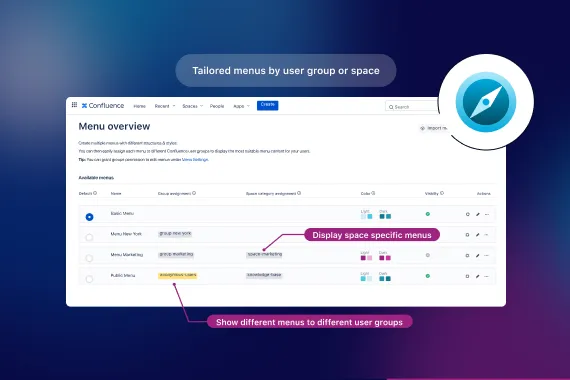
Display different menus based on user or space
Create multiple menus and display them based on Confluence user groups or assign them to spaces based on the space category. It’s perfect to customize menu links for employees in different countries or to display one menu for Marketing spaces and another for Engineering spaces.
Location based intranet navigation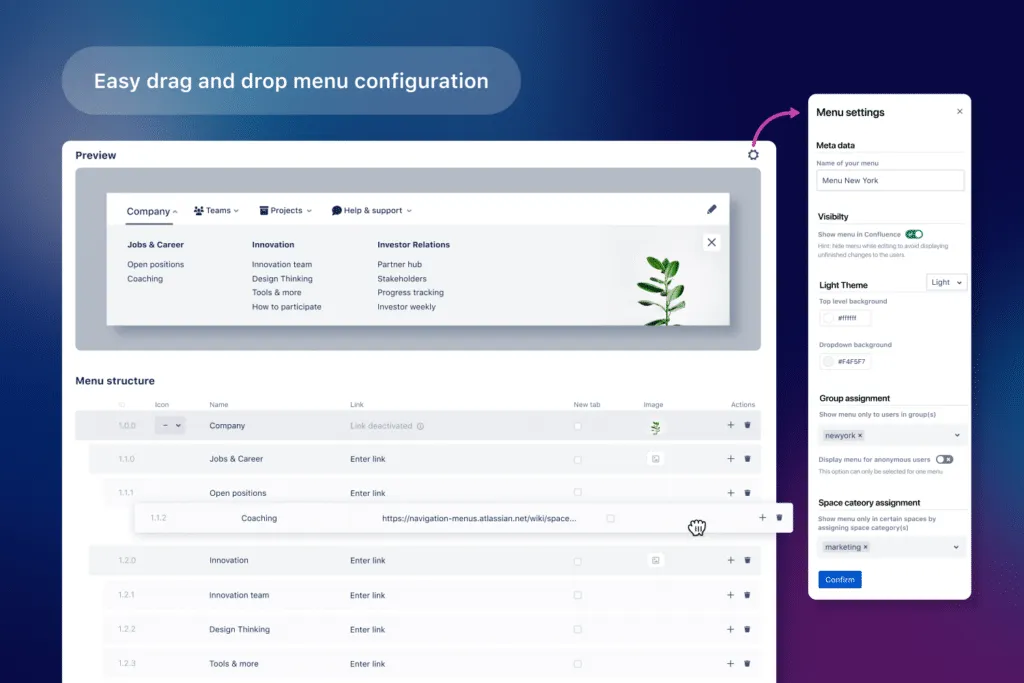
Style menus with images, colors & icons
Make your drop down menus visually appealing and engaging with images, colors and 1000+ icons. The easy drag & drop menu configuration and live preview mean it only takes minutes to get started.
Watch 3 minuteExplore, learn, connect
Marketplace
Easily navigate through the depths of your Confluence. Multiple space and group specific menus, custom styles and themes.Product advice
Need help deciding which app solution would be perfect for your team? Want to clarify and compare app features with a real person?
Use cases
What customers think of
Navigation Menus
Stuff you probably want to know

Sven Heß, Product Owner
Let’s get this show on the road
Start working with Navigation Menus today. Or book a personal demo and we’ll walk you through all the awesome things you can do with it.
Stay up-to-date with The Atlassian Detective
In our monthly newsletter, we solve mysteries related to the Atlassian toolset and developments in the ecosystem.