
Summary
- Confluence databases were supposed to replace the native content properties macros. Unfortunately databases lack a few important features that users need.
- The main limitation is that custom page metadata in databases isn’t linked to pages. This makes your Confluence database a separate source of truth, siloed away from your pages.
- Because of the metadata disconnect, databases are better for managing standalone data, not Confluence pages.
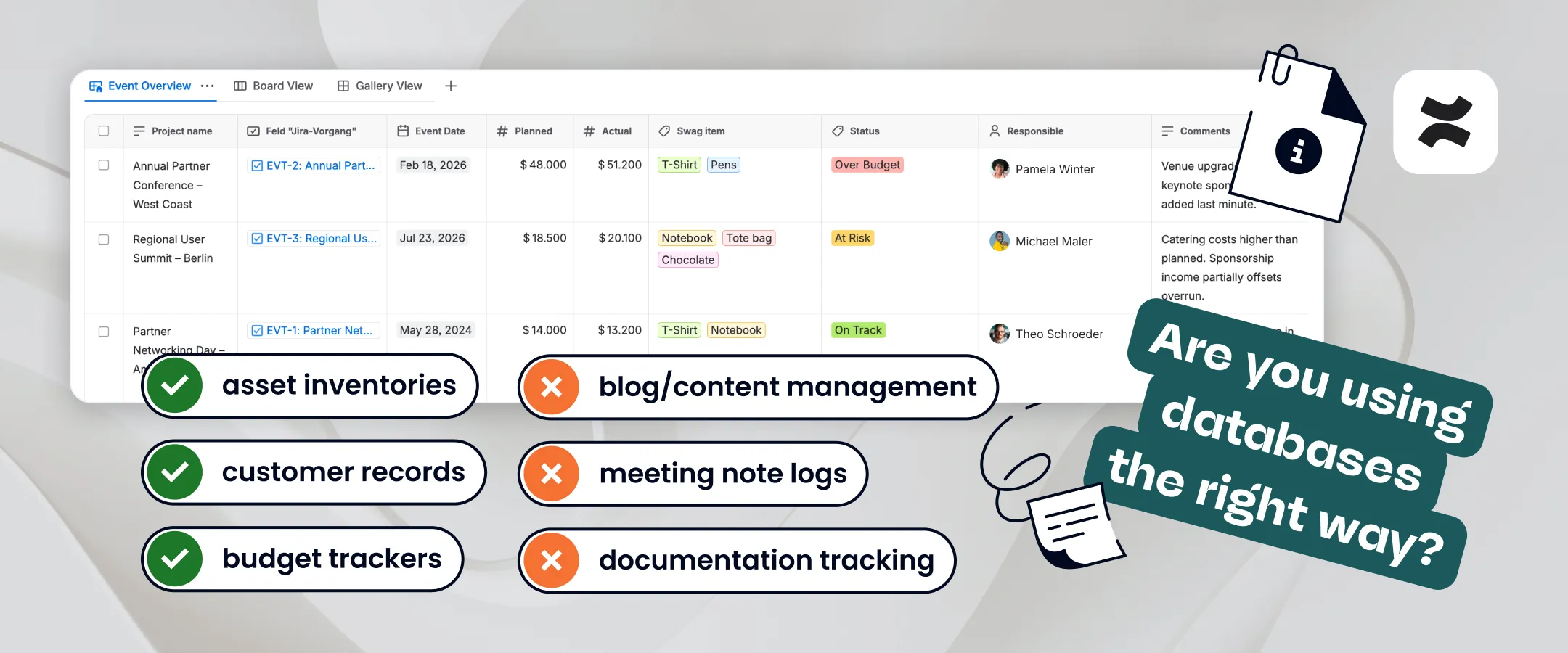
- Good use cases for Confluence databases include asset inventories, customer records, budget trackers, and any structured dataset that isn’t closely tied to Confluence pages.
- Bad use cases for Confluence databases include blog/content management, meeting note logs, documentation tracking, and any structured metadata that describes Confluence pages.
- A happy medium between content properties and Confluence databases is the Marketplace app Properties for Confluence. This lets you create a dynamic, editable database of structured Confluence page metadata that’s fully synced to your pages.
Are Confluence databases as great as they seem? Well, it depends…
Adding the Confluence database feature was a masterstroke by Atlassian.
Thanks to Confluence databases, you can manage all kinds of information directly from your team workspace, from tasks to assets to customers. This means you can gut all those scattered Excel spreadsheets, slim down your toolset, and keep your data and documentation close.
That said, its effectiveness does depend on what kind of information you want to manage.
Confluence is, first and foremost, a document management tool. So it’s likely you want to manage Confluence documents using a Confluence database. If you do, that database becomes a registry of page metadata, e.g. owner, status, content type, review date, etc.
But there’s a problem. In a Confluence database, any metadata you create about a page is separate to the page. Over time, a growing disconnect between pages and their metadata leads the database to no longer reflect reality. As a result, users are forced to manually reconcile two systems that were meant to represent the same thing.
It means there are some things you can manage with a Confluence database, and some things you shouldn’t. In this article, we’re going to explore:
- best uses for a Confluence database
- worst uses for a Confluence database
- what to use instead of a Confluence database.
First, let’s find out what a Confluence database actually is.
What is a Confluence database?
The word “database” either makes you think of a giant spreadsheet or a complex system full of code that you don’t want to touch with a barge pole.
Confluence databases are designed to be much simpler and more user-friendly than a spreadsheet or a traditional relational database. A Confluence database is a lightweight way of storing and managing structured information directly inside your workspace.
A database in Confluence is a piece of content, just like a page, live doc, or blog, that lives in your content tree (previously called page trees). You can also embed a database in a Confluence page.
When you create a database, you’ll see a table with placeholder fields and buttons for filtering, sorting, hiding fields, performing simple calculations (like counting fields), and changing the layout. You can edit or remove the fields that are there, add new ones (like status, owner, date, etc.), and input values for each field. You can also pick a Confluence database template so that you’re not starting from scratch.
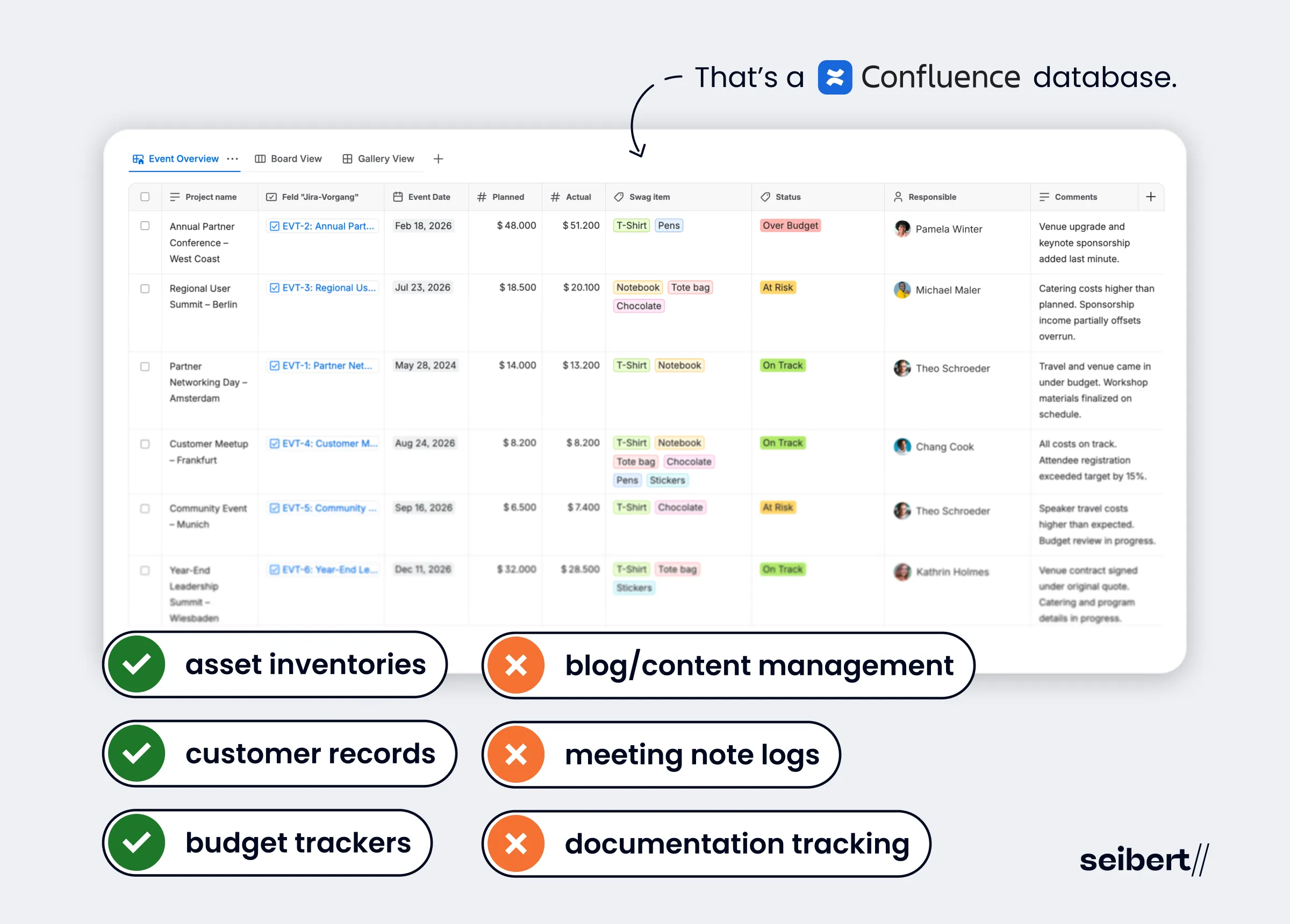
Adding/editing fields comes with multiple data and display options. For example, applying default values, adding descriptions, formatting numbers, and the ability to create pages and edit certain Confluence metadata directly from the database.
You can then view the data in different ways using filters and layouts, e.g. table, board, or gallery.
There’s no need for backend infrastructure, data modelling, or complex querying. The focus is ease of use rather than technical power.
Confluence databases vs standard tables
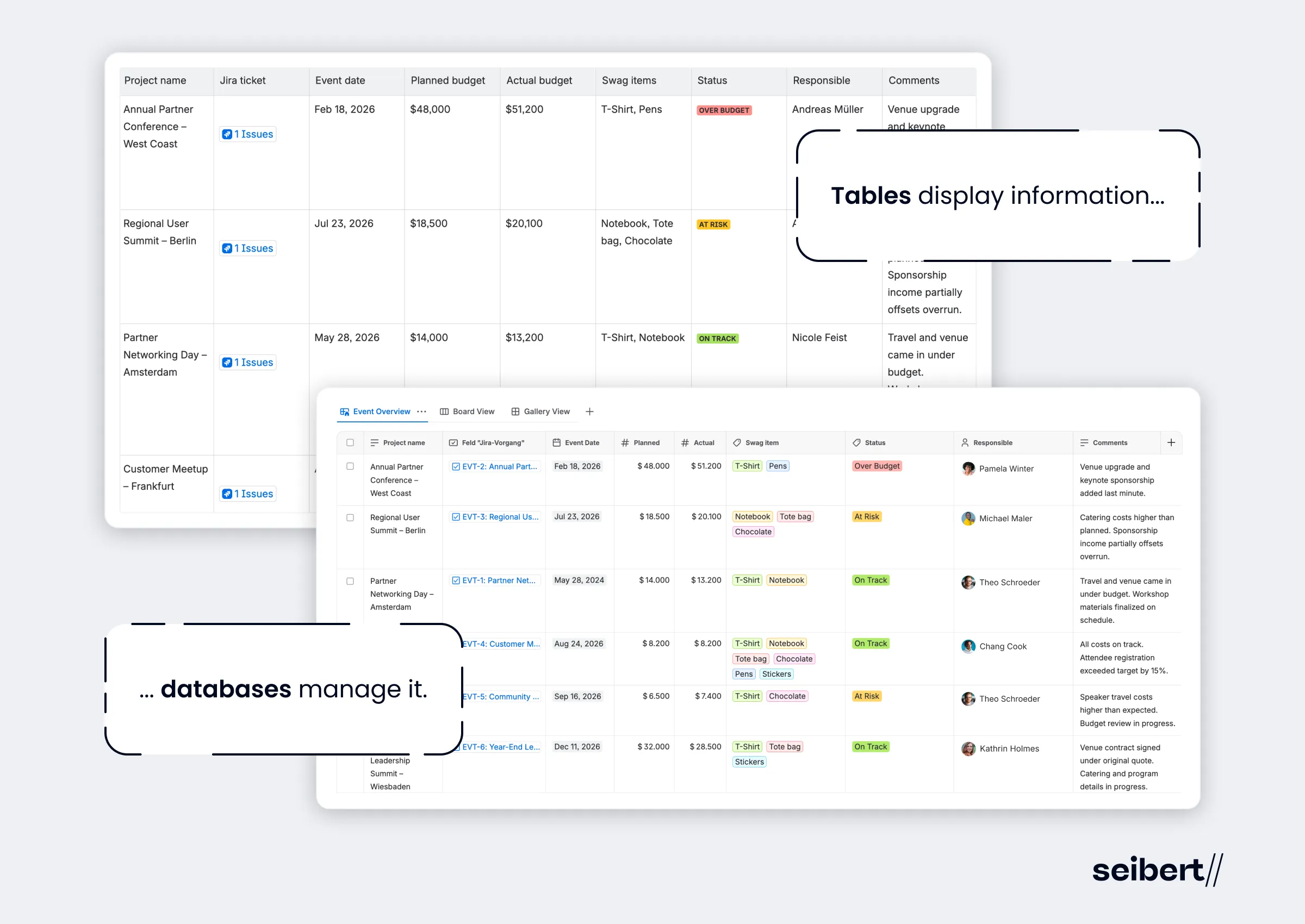
Confluence standard tables are really just a formatting tool. They’re static grids that you embed in a Confluence page to display text or information in a more structured fashion, which makes them good for simple lists and comparisons.
But tables aren’t any good for storing or managing data. They don’t offer structured fields, e.g. dropdowns, user pickers, number fields, and dates. Inputs are free-form text only, which means you can enter whatever you like. This makes it hard to maintain quality and consistency at scale. They’re also manual and static, with no built-in filtering or automation, and only very basic sorting.
Although it looks like a table, a Confluence database is a different animal altogether. Data is stored in structured fields like date, number, and user, along with Confluence-native metadata, e.g. status, label, owner, creation date, and last updated. This enforces consistency and makes data much more usable. The filtering, sorting, and display options, together with the ability to link to Jira tickets and other database entries, make databases much more powerful for tracking and organizing work.
In short, tables display information, databases manage it.
Confluence databases vs Confluence page properties
The native content properties macros (formerly known as Confluence page properties) were an attempt by Atlassian to create and track metadata for pages.
They consist of two Confluence macros: the content properties macro and the content properties report macro.
With the content properties macro, you can add metadata to a series of related Confluence pages, e.g. project name, status, stakeholders, owner, start date.
Then you can use the content properties report macro to display the metadata on an overview page. The report macro automatically pulls the properties from all the pages that contain the content properties macro. You can narrow this down by entering the labels of specific pages you want to report on.
But while the native properties macros let you display metadata, they don’t really let you work with it.
This is largely because the content properties macro is just a standard table wrapped in a macro. So that table has the same limitations as all standard tables: no structured fields. There’s no metadata schema, no enforced field types, and consistency depends entirely on human discipline. This makes it hard to use the content properties report table as a database, particularly when trying to compile metadata about a large number of pages.
Another limitation is that you can’t edit the report from the report itself, i.e. you can’t update values from inside the content properties report macro. You’d have to click through to each individual page to make changes. All you can do is some (very) limited filtering.
Confluence databases overcome these limitations by allowing users to manage structured data directly from the report table.
At the same time, it’s not quite as simple as swapping content properties for a Confluence database. Because Confluence databases have a key weakness that content properties don’t: custom page metadata lives in the database, not the page.
Some native Confluence metadata is synced between your database and your pages, such as page status, creation date, and last updated information. But as soon as you introduce custom metadata, the model breaks apart.
If you want to track things like a project deadline, article type, or priority, that data will live in the database only. This effectively turns your Confluence database into a data silo. You now have two sources of truth about the same content: the database and the pages themselves, which users have to manually stitch together. As a result, there’s huge scope for pages and their metadata to diverge.
Best use cases for a Confluence database
Confluence databases are designed to track and organize information, not just pages. And honestly, that’s where their strength lies.
So, you could use a Confluence database to track:
- Customers
- Vendors
- Transactions
- Events
- Job applicants
- Assets
- Budgets
In all these cases, you’re tracking standalone entities and the data in the table is the source of truth. The content — customer details, transaction dates, asset lifecycles — lives inside the database. The database is the thing.
The best way of using a Confluence database is to build an inventory of information that doesn’t rely on the updating of content outside the database, i.e. doesn’t rely on Confluence pages.
Worst use cases for a Confluence database
Unfortunately the worst use cases for a Confluence database are probably the ones you had in mind to begin with, i.e. managing Confluence pages.
So you’re probably thinking of tracking:
- Meeting notes
- Blogs
- Customer research
- Case studies
- Technical documentation
- Campaign plans
- Event plans
- Policy documents
Makes sense, right? Confluence is a content management system. Why wouldn’t you use a Confluence database to manage your Confluence content?
The problem is, as mentioned earlier, any custom data you add about your Confluence pages, such as publication dates, target audience, or approval status, isn’t tied to the pages themselves.
But this is the sort of content-level metadata that clearly belongs inside the page. As a result, Confluence databases create a structural disconnect between the data and the content they’re meant to describe, and manual effort is required to keep them linked.
This makes databases a poor support for workflows that depend on accurate, up-to-date page states, like publishing blog articles or organizing campaign or event plans.
And it’s why teams are still relying on page properties, even though many thought databases was going to replace it.
Creating a database with real page metadata
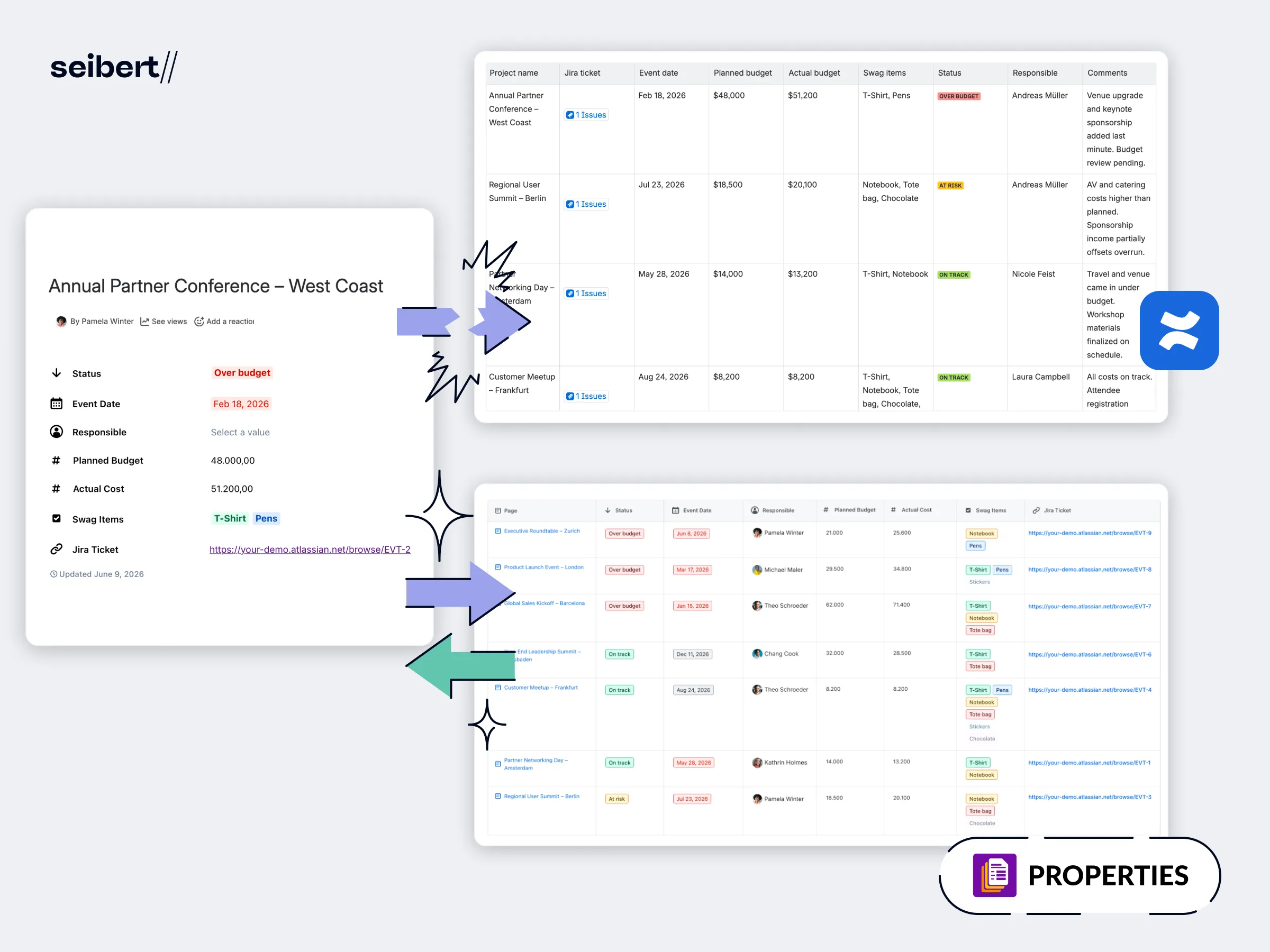
Basically, both databases and content properties have problems.
Teams who want to manage Confluence pages in a database need a middle ground between these two features.
A good middle ground is the Atlassian Marketplace app, Properties for Confluence, which lets you build page-embedded Confluence metadata that feeds into a database. Unlike the native content properties macros, Properties uses structured fields to describe content, and property group templates to standardize metadata across pages.
These properties are then aggregated into a report that acts as a database of Confluence pages. But unlike the native properties report macro, you can edit the values in the report itself. And unlike Confluence databases, editing those values automatically updates the Confluence page.
For example, if you add a property for “Due Date” to your Confluence page, you’ll be able to change it in the database, and the new date will sync to the page.
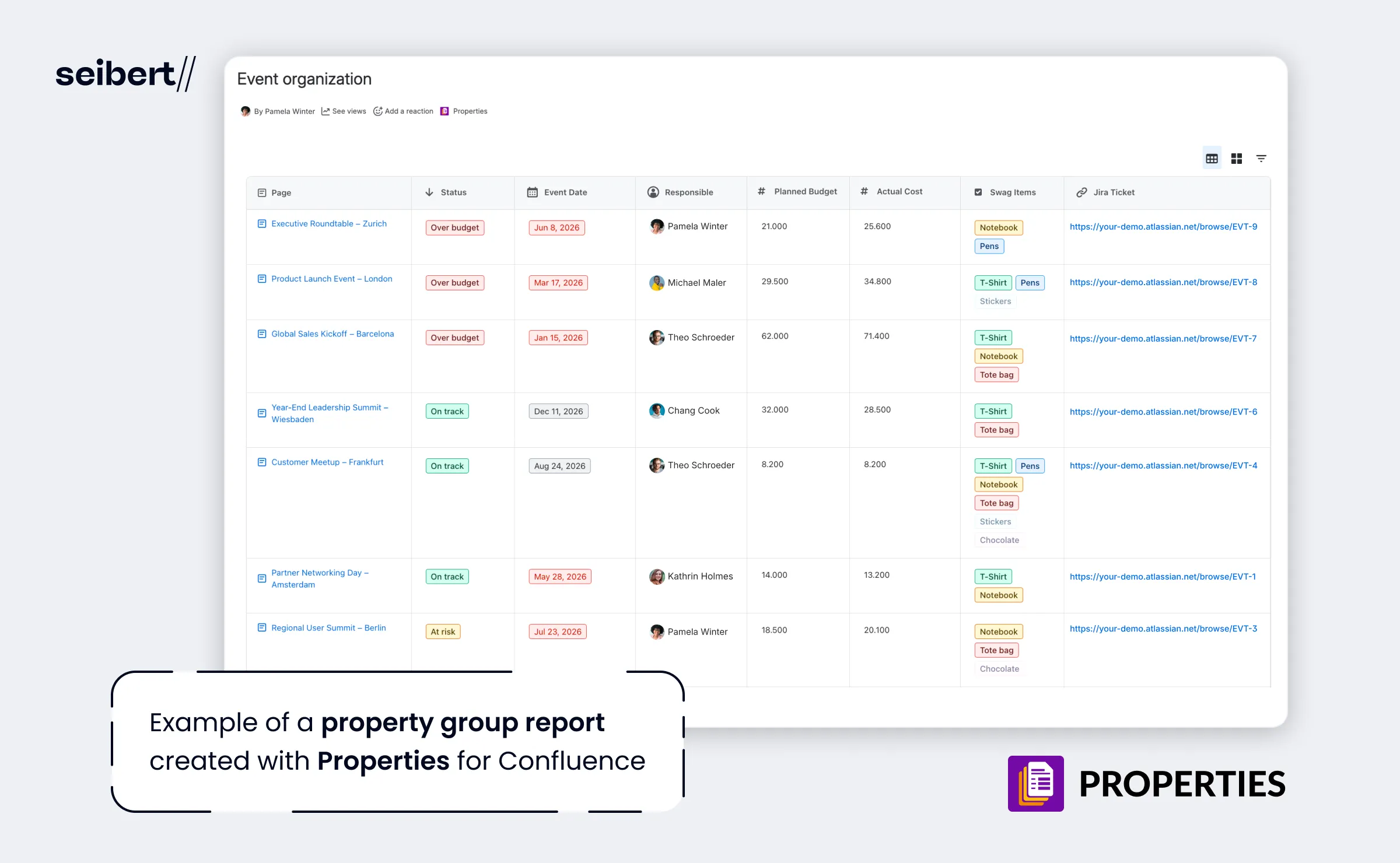
In summary, Properties for Confluence strikes an effective balance between the native databases and properties macros for two main reasons:
- Properties uses structured fields and templates to keep data clean, consistent, and manageable.
- Properties avoids the creation of data silos by syncing reports and pages, maintaining a single source of truth for your Confluence page information.
The upshot
Here’s a handy table so you can decide which tool to use for your use case:
| Use Confluence databases if you want to track: | Use Properties for Confluence if you want to track: |
|---|---|
| Customers, vendors, or partners as standalone records | Blogs, case studies, and marketing content (metadata on due date, author, categorization, approval, and publishing) |
| Budgets, expenses, or financial trackers | Meeting notes (metadata on attendees and outcomes) |
| Projects and initiatives not tied to a single Confluence page | Campaign or event planning pages (metadata on dates, status, and coordination) |
| Asset inventories, e.g. equipment, licenses | Documentation pages (metadata on ownership, review states, approvals, and versions) |
| Any structured dataset that exists independently of Confluence content | Any structured metadata that describes Confluence page content |
The key is whether the data is page-bound or page-independent. A Confluence database is best suited for a standalone dataset where the database itself is the source of truth. Properties for Confluence is purpose-built for page-centric data, making it a much better option for tracking and reporting on Confluence content.
In other words, use databases when your data lives outside pages, and use Properties when your data belongs to pages.
If you want to create a database to manage pages without creating a separate layer of truth, try Properties for Confluence free for one month.