
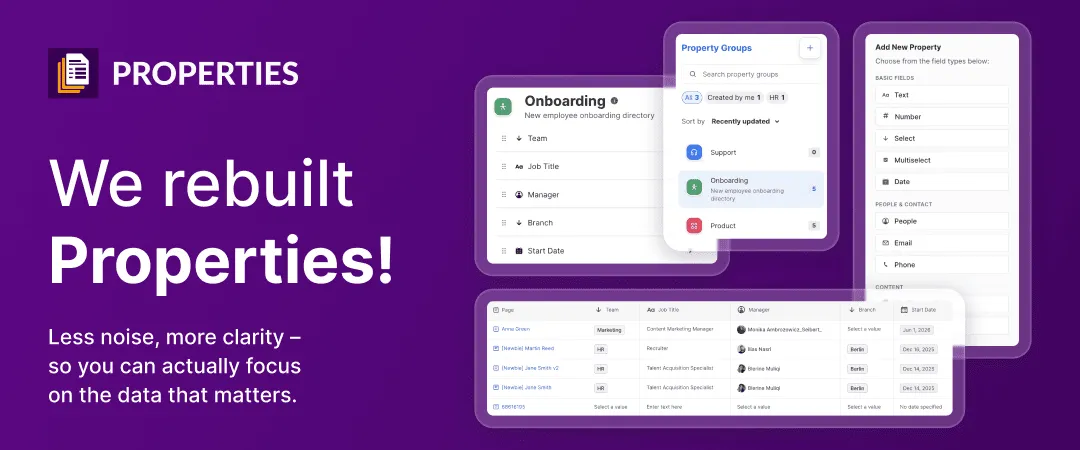
We’ve just given Properties, the app that lets you add and manage metadata in Confluence, a major redesign. The new version keeps everything you rely on - individual properties, property groups, and reports - and gives it all a cleaner home. Some changes are big (property groups no longer clutter your page by default). Some are just polish. Here’s what’s new, and what it means for you.
What has changed at a glance
- Significant: The Property Group macro is gone. By default, metadata now lives behind the byline item - unless you prefer to display it on the page.
- Worth noting: A refreshed Property Group Portal (the view attached to your page) and a redesigned Property Group Editor (now with categories and hierarchy); a polished Property Group Report.
- What you need (or your admin needs) to do: One manual update - details below.
Goodbye, Property Group macro 👋
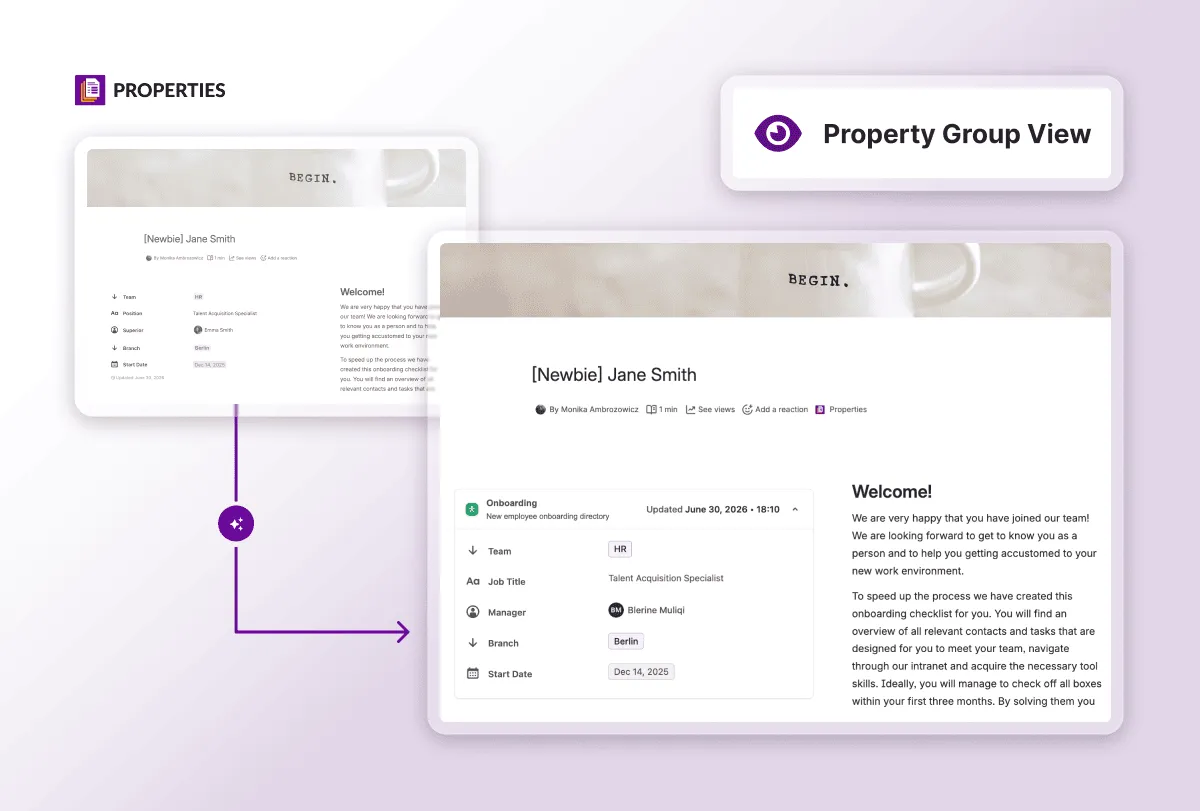
The most visible change is that your property groups are no longer visible on Confluence pages by default, but your data is exactly where you left it. Nothing is deleted, moved, or lost. What you get is a clean page, with your metadata one click away: select the byline item and all your properties appear in a modal.

Note: This flow - Properties behind the byline item - is only available for property groups created in the new UI. If you have property groups created before the update, they won’t automatically move behind the byline. To display those, use the new Property Group Display macro, added specifically for this purpose.
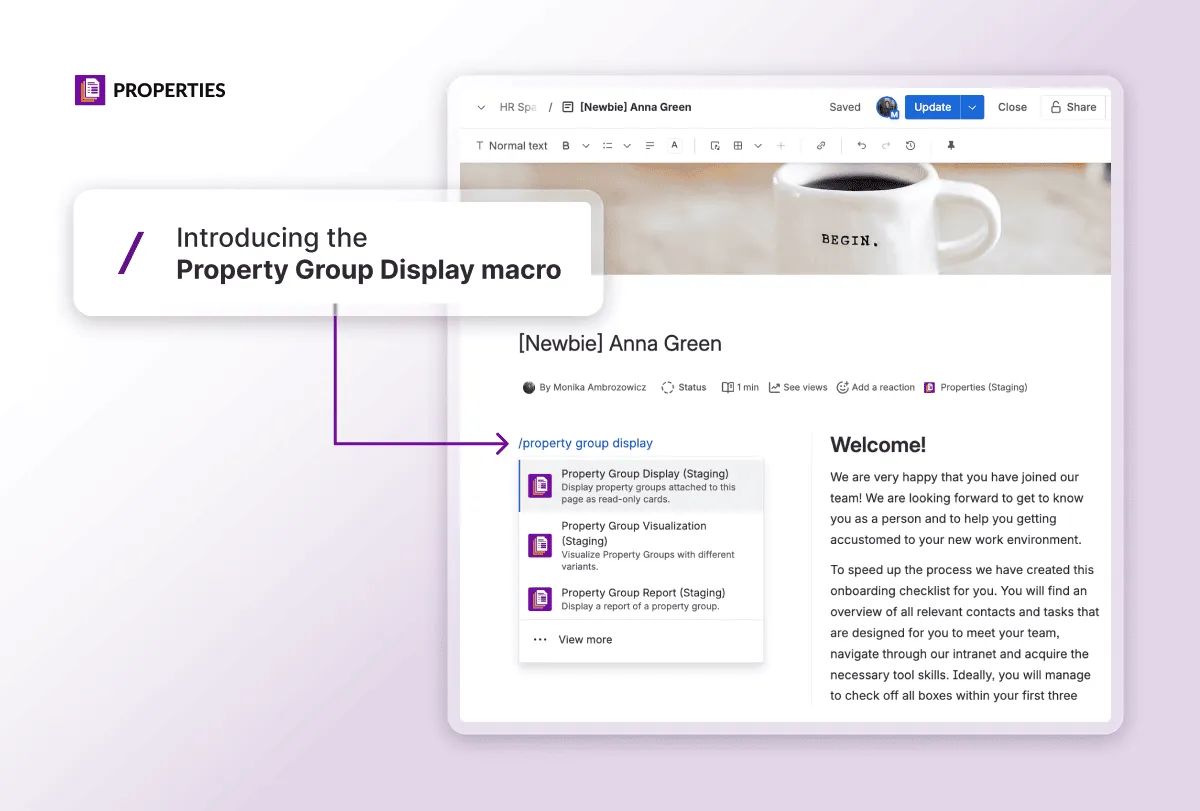
The Property Group Display macro is also useful if you prefer to display your properties on Confluence. Keep in mind it’s read-only - to make changes, you’ll still need to open the Property Group Portal via the byline item.
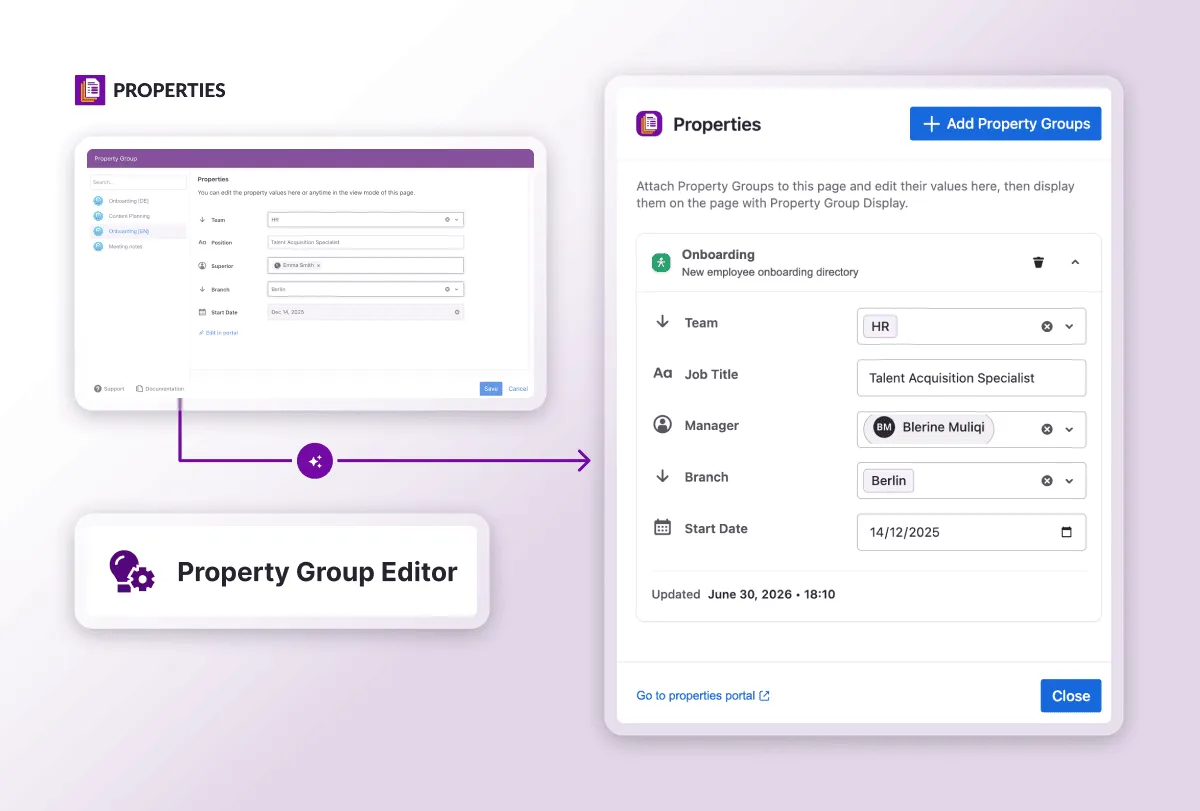
Welcome the New Property Group Portal
We’ve completely redesigned the Property Group Portal - the page to build and manage your property groups, with field types like team, people, date, and more. It’s not just a modern UI; you also get new capabilities like categories and visual hierarchy to keep your property groups organized. If you manage dozens of property groups, categories mean you’re no longer scrolling to find the one you need.
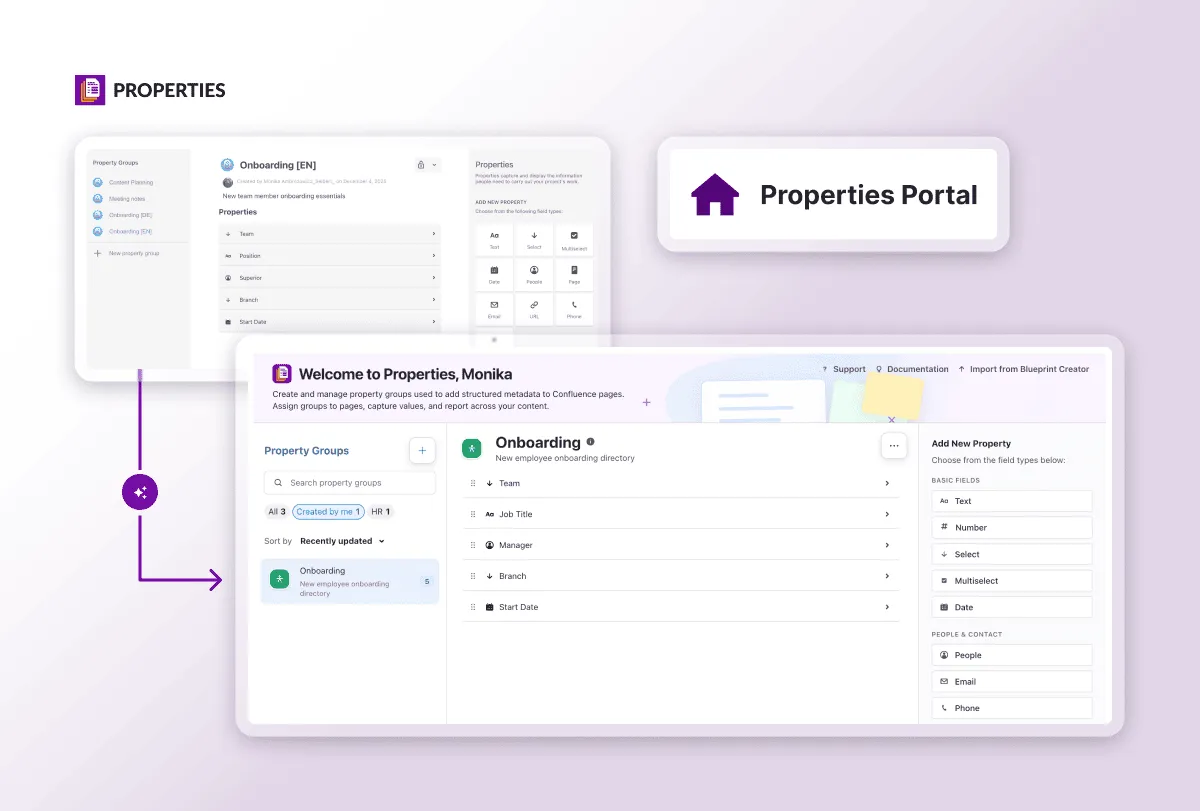
A Polished-Up Property Report
The Property Group Report has a polished UI and gives you more flexibility in how to display your data, but its core functionality stays the same. It aggregates property values and displays them on a single page or across many, turning your metadata into a powerful database.
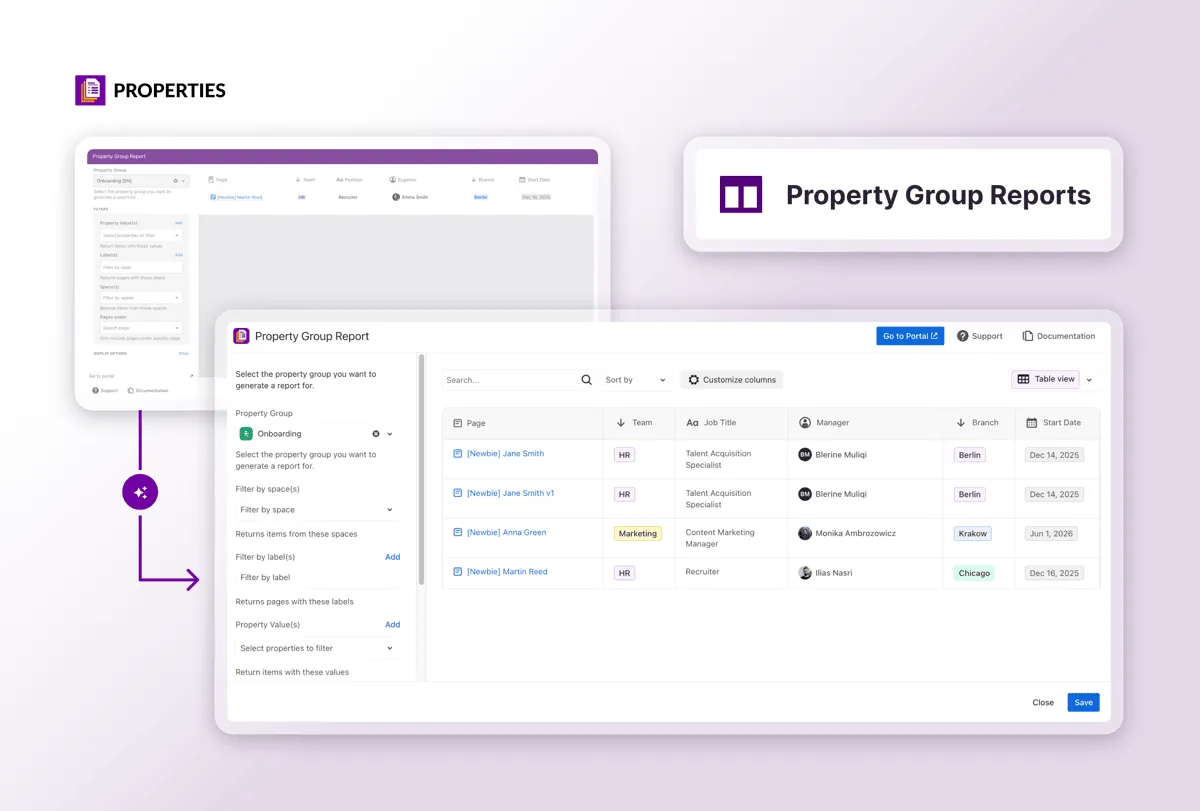
Manual Update Required
Getting the new version of Properties requires a manual update. If you log in to Confluence with the Properties app already installed and you can’t see the new UI, it most likely means the app hasn’t been updated yet. Reach out to your Confluence admin and ask them to update the app from the [Manage Apps] section of the Confluence admin panel.
That’s the new Properties. Any questions?
The look is cleaner and a few things have moved, but everything you built is still there, and still yours to manage exactly as before. Once the update is in place, open a page with property groups and click the byline item to see it for yourself.
Questions, or something not behaving as you’d expect? Raise a support ticket or contact us directly - we’re happy to help.