Migrate Blueprint Creator to Cloud
Data Center is sunsetting on March 28, 2029. Your blueprints don’t have to. Properties is the official successor to Blueprint Creator, and the Confluence Migration Assistant carries your blueprint configurations across.
Trusted by teams worldwide





March 2026
Data Center and its Marketplace apps are no longer sold to new customers.
March 2028
No new licenses, no expansions. The date growing teams feel first.
March 2029
Subscriptions expire and your environment goes read-only.
New app, same muscle memory
The Blueprint Macro was built specifically to carry the Blueprint Creator template experience into Properties: the same guided way to create pages from predefined templates, in two variants that most teams end up using together.
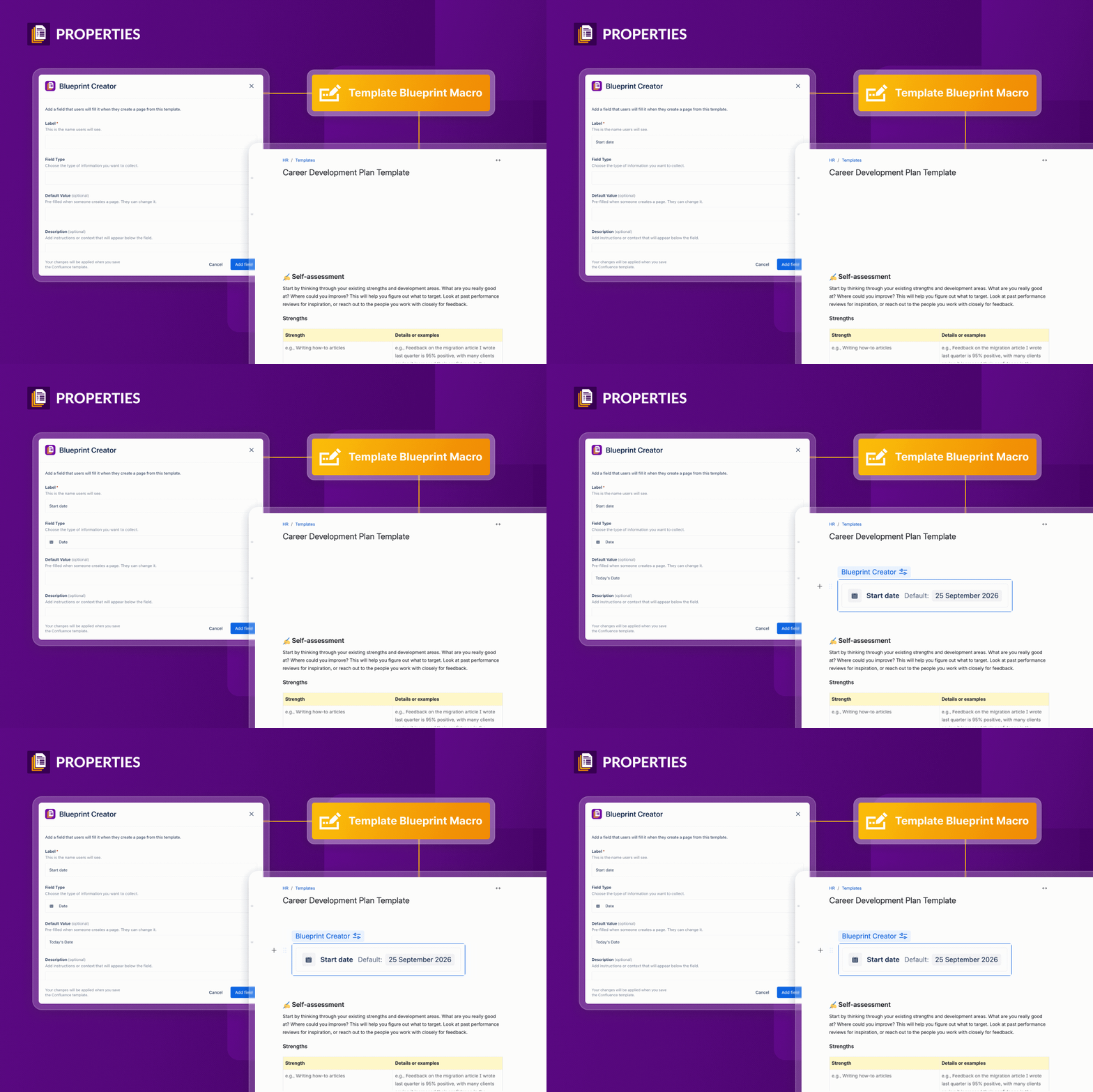
Template Blueprint Macro
Sits inside a template and guides people through the fields it defines, so every page comes out structured the way you intended.
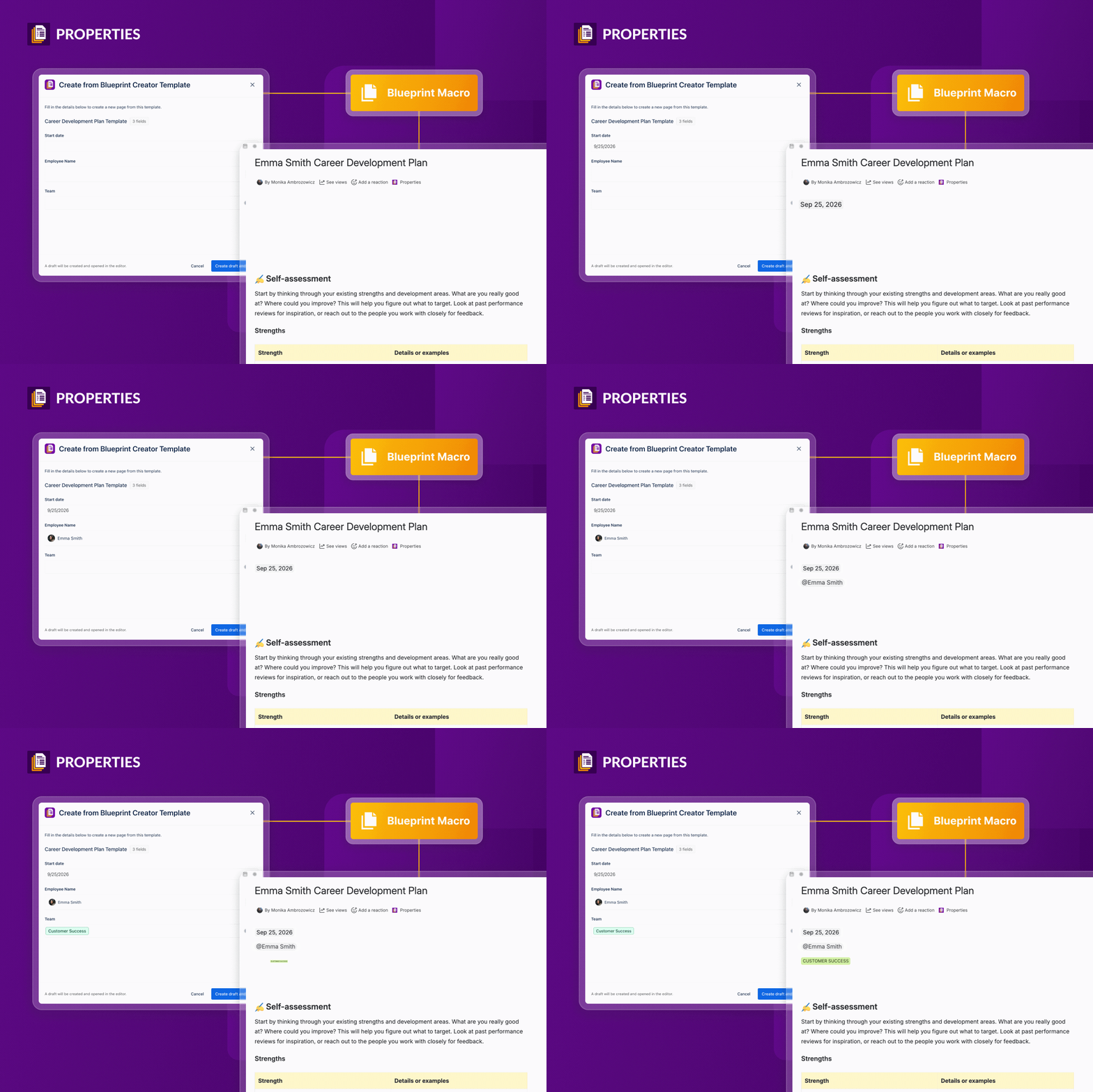
Page Blueprint Macro
Sits on a team hub or index page as a visible create button, so people launch the right template from the page they’re already reading. No hunting through the gallery.
Atlassian’s Migration Assistant does the moving
Blueprint Creator is ready to migrate your data to Properties using the Atlassian Confluence Migration Assistant (CMA) — the same official tool you already use for the rest of your Confluence. The CMA ensures a smooth transition from one product to another, so moving between two apps is a transfer, not a manual rebuild.
What moves, and where it lands
| What you have today | Where it lands in Properties | How it gets there |
|---|---|---|
| Global and Space Page Blueprints | Property Groups | You select them in Blueprint Creator’s migration screen, then the Confluence Migration Assistant carries them across. |
| Blueprint placeholder fields | Fields inside those Property Groups | The heart of the migration scope — your data configuration, transferred. |
| Blog Blueprint configurations | A Property Group | Blogs can’t use templates in Cloud, so the configuration lands as a group instead. |
| Template content, macros, and pages | Confluence Cloud | Handled by the Migration Assistant’s own Confluence scope, alongside the rest of your instance. |
| Creating pages from a blueprint | Blueprint Macro | Built to bring the Blueprint Creator template experience to Properties. |
| Placeholders as form fields | Properties on the page | Become live-editable values — no edit mode, no re-publishing. |
| Finding pages by their metadata | Properties Reports | Filter, sort, and group as tables, cards, or boards. No Data Center equivalent. |
| Your Data Center license | Dual License | Free renewal for up to a year while you transition. |
What doesn’t migrate yet
Better to know now than on go-live day. These Data Center capabilities are outside the current migration scope:
- Space Blueprints and Pagetree Blueprints, for creating standardized spaces or multi-page structures
- Automated titles: prefixes, suffixes and auto-numbering
- Page Blueprints in archived spaces, which can't be selected
- Confluence page template metadata such as labels
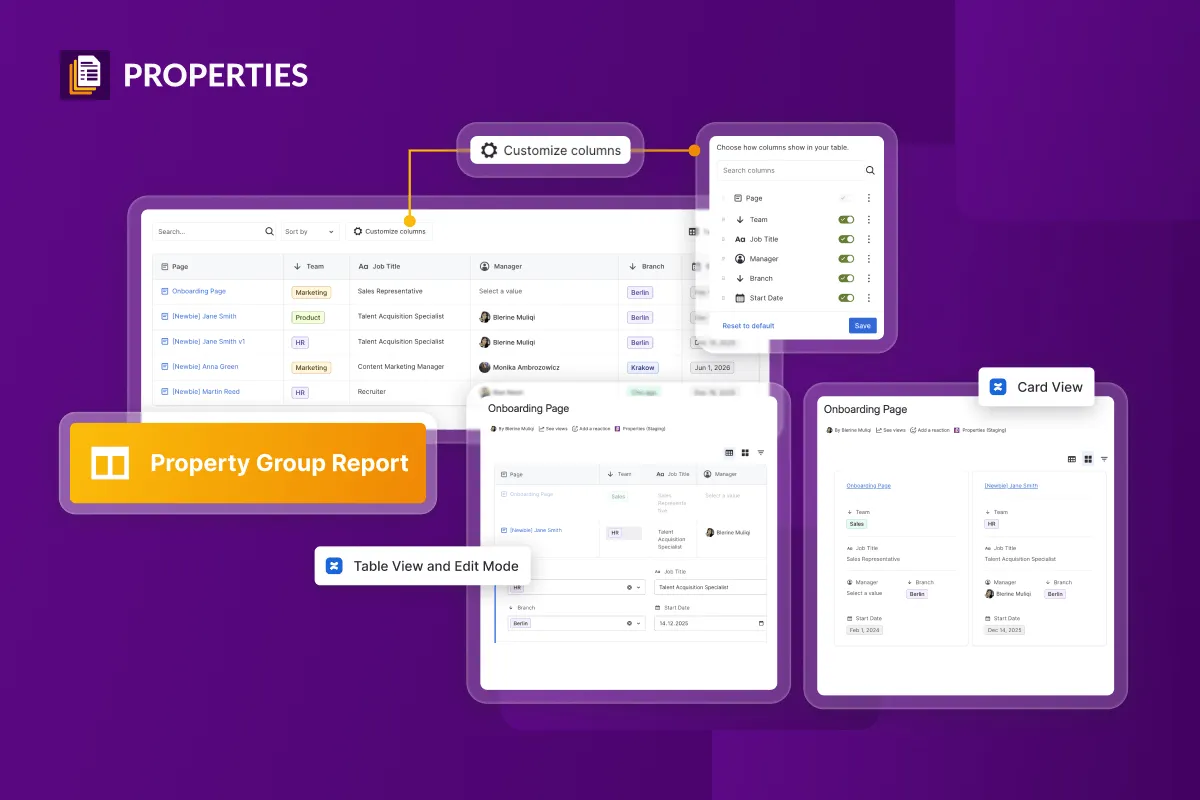
And one thing you couldn't do before
Properties gives you database-like views over your Confluence: filter, sort, and group pages by any property, show them as tables, cards, or boards, and edit values right inside the report instead of opening pages one by one. There is no Data Center equivalent — this is what you gain by moving.
See everything Properties doesHow the move works
01 — Get ready
Install Properties on your Cloud site and update Blueprint Creator on Data Center to version 3.8.0 or later — that’s what unlocks the migration screen. Then confirm both instances can talk through the Confluence Migration Assistant.02 — Select your data set
In Cloud Migration: Blueprint Creator to Properties, pick the Global and Space Page Blueprints you want and hit Save Selection. Blueprint Creator writes a JSON file the Migration Assistant picks up automatically — and if you can’t use the assistant at all, that same file imports into Properties by hand.03 — Test, then ask your team
Move a representative slice, read the migration report, and fix what it flags. Then let the people who use blueprints daily create a few templates — they’ll spot what no report will.04 — Go live, then check your work
Announce a downtime window and run the rest. Afterwards: confirm each Blueprint configuration arrived as a Property Group, set edit permissions on anything sensitive, and place the Property Group macro into the templates that need it.
You don’t pay twice
Blueprint Creator customers moving to Properties get a Dual License: a free renewal of your Data Center license for up to one year, matched to the term of your Cloud site purchase. Test properly, roll out at a sensible pace, and keep Data Center running the whole time — without a second invoice forcing the timeline.
 Properties is an Atlassian Cloud Fortified app
Take the full guide with you
The Migration of Blueprint Creator to the Cloud covers the whole move in eight short chapters — written for the Confluence admins and space owners who’ll actually run it.
- How Properties maps onto what Blueprint Creator does today
- Working with the Atlassian Confluence Migration Assistant
- What migrates automatically, and what else to know
- A post-migration checklist and your next steps
Loading content...
What customers think of
Properties for Confluence Cloud

Blerine Muliqi
Head of Product for Blueprint Creator and Properties
Junovi-Seibert
Migration questions, answered
Whenever you’re ready to make the move, we’re here — with the Properties app, the migration tooling, the Dual License, and people who know both apps inside out.
Prefer to read first? Documentation · Support