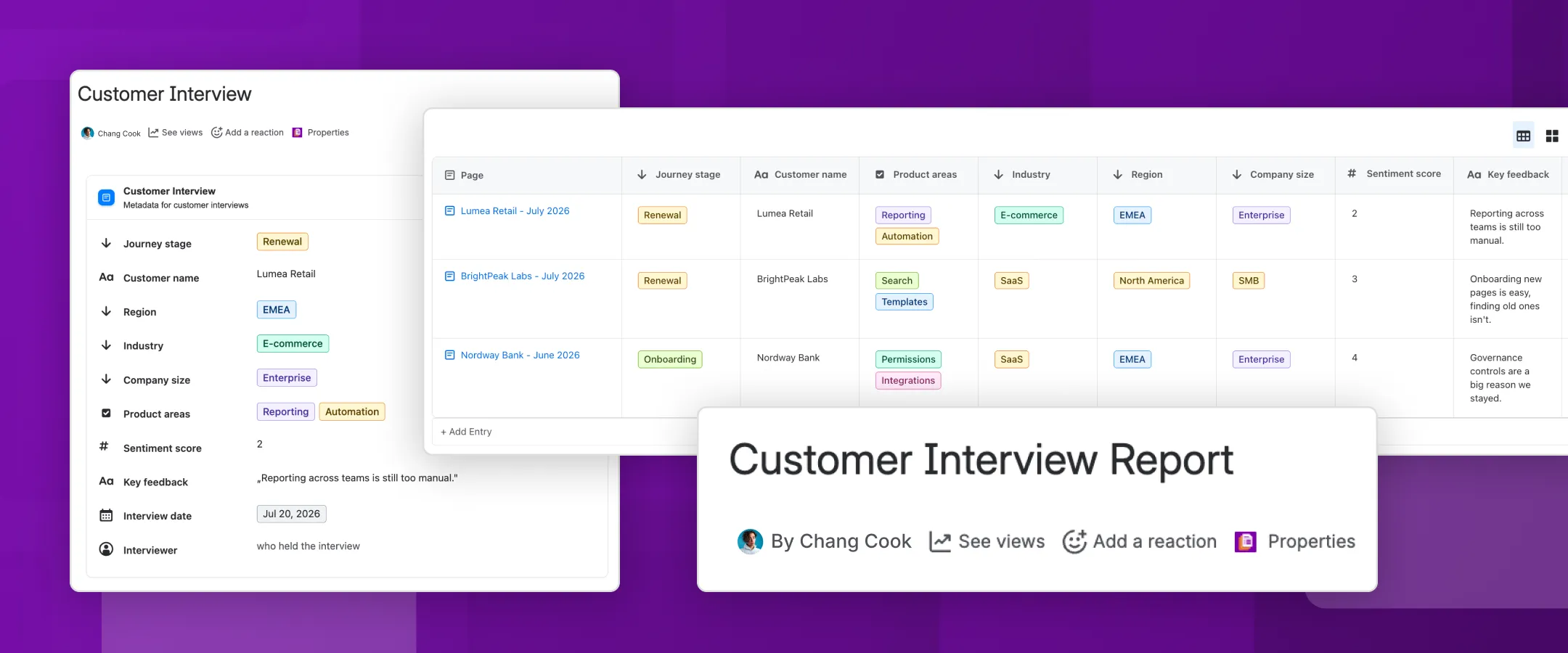
Get a structured overview of your customer interviews on one Confluence page.
Product owners are responsible for making sure customer insights inform product decisions. That means they need a reliable way to organize and interrogate large volumes of customer research data.
The only way to capture metadata in native Confluence is with the page properties macro and the page properties report macro (now called content properties and the content properties report). Unfortunately none of the metadata is structured or reusable, leading to messy and inconsistent reports.
Properties for Confluence Cloud solves this problem by using structured fields and reusable metadata templates to capture key attributes, such as customer region, product area, and interview date. The app pulls the data into a live Confluence report/database that enables product owners to synthesize what’s happening across the customer base.
Track customer interviews at scale
AI can surface insights across dozens of customer interviews, but the challenge for product owners is being able to filter, segment, and compare interviews by the dimensions that matter most.
They need to answer questions like: “Are enterprise customers in EMEA experiencing the same friction as SMB customers in North America?” or “Is this pain point specific to one industry or is it more widespread?”
Unlike the native macros, Properties for Confluence offers searchable structured fields, making these questions easier to answer. You could use:
- A single-select list for customer names, regions, industries, size, and customer journey stage
- A multi-select list for product areas, use cases, and topics covered
- A number field for sentiment scores or pain point severity
- A date field for interview date, contract start date, and last support interaction
- A user picker for the name of the interviewer
- You could also have a free-text field if you want to capture any qualitative feedback
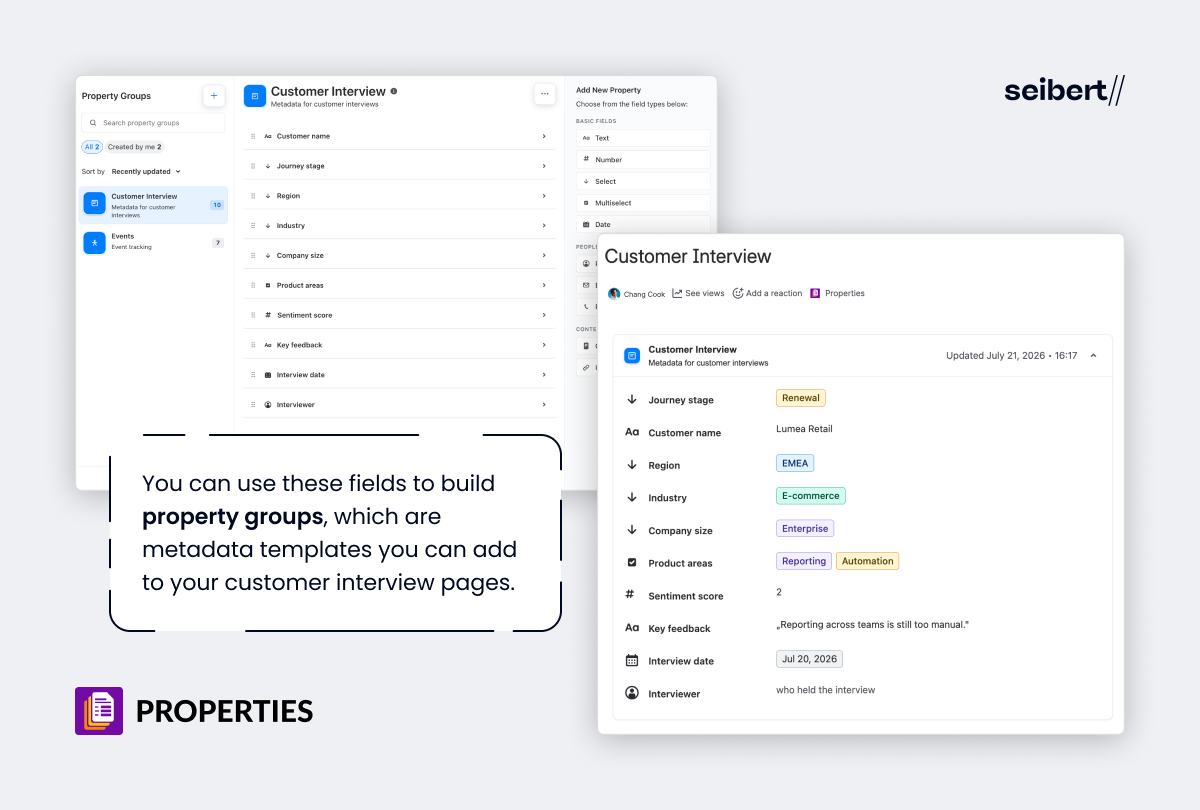
You can use these fields to build property groups, which are metadata templates you can add to your customer interview pages. This metadata can then be aggregated into a live, fully editable report on another Confluence page, ready for review.
Quickly surface the most relevant data
The native content properties macros offer very limited sorting and filtering, but with Properties for Confluence, you can slice and dice your data however you want.
Filtering by property value means you can choose to only see interviews with companies in specific industries, e.g. fintech or ecommerce. Maybe you only want to see interviews with a sentiment score of 1, or interviews conducted in Q3. The built-in filters make this instant.
You can also sort interviews by date to see the most recent ones first, and choose which properties to display, e.g. only show customer names, industries, and pain points. Reports can be viewed as tables or cards, depending on how you want to explore the data.
Make sure no interviews get missed
Once you start capturing customer interview information with Properties, you want to make sure all your interviews have consistent metadata. Otherwise, some interviews won’t show up in your report, preventing you from seeing the whole picture.
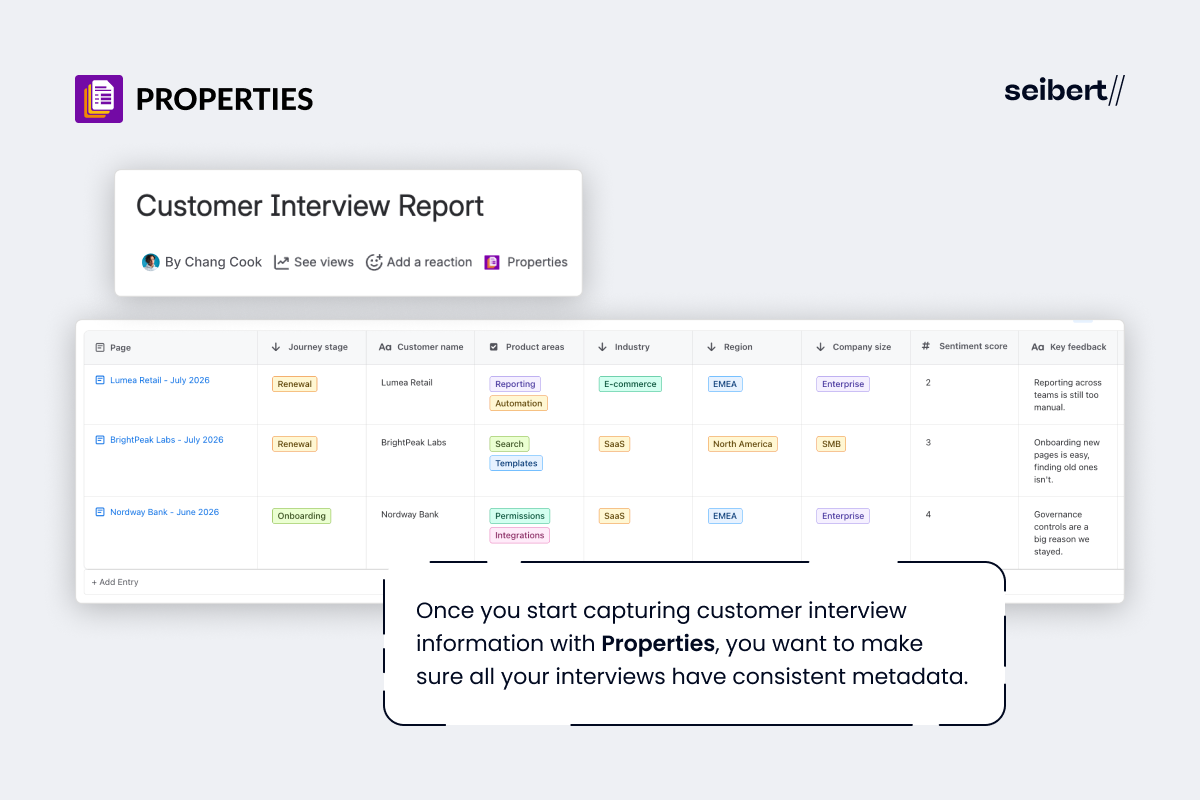
With Properties, you can embed property groups in Confluence-native page templates. So, if you’re using the customer interview report template, or you’ve created your own, you can add your customer interview property group to the template. Every new page created from that template will automatically include the property group, ensuring consistency without any extra setup per page.
Manage customer interview data more easily
Another key advantage of Properties is that the property group report offers live editing. The native report macro can’t be edited, so if you want to change the metadata, you have to go to the individual pages and edit them one by one.
With Properties for Confluence, your reports and interview pages have a two-way sync. So product owners can update a sentiment value, change a date, or correct a customer name directly in the report table. Those changes will sync to the pages without you having to edit them individually.
Never lose track of what you already know
When customer interview pages pile up, it’s easy to remember the insights but lose the context. Maybe you recall that a certain pain point came up in fintech, but finding those exact interviews again takes too long.
With structured, searchable interview data, insights become fully traceable, without the friction of manual searching or relying on memory.